


BlueTally lets you save time and headaches by automatically adding devices from Windows Autopilot into the app as assets. Setup your integration in only a few steps:
Login to your Azure account.
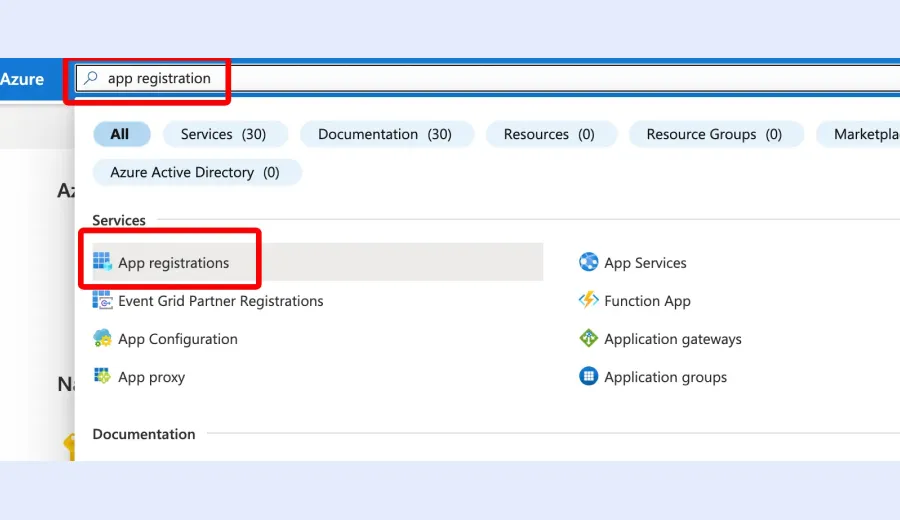
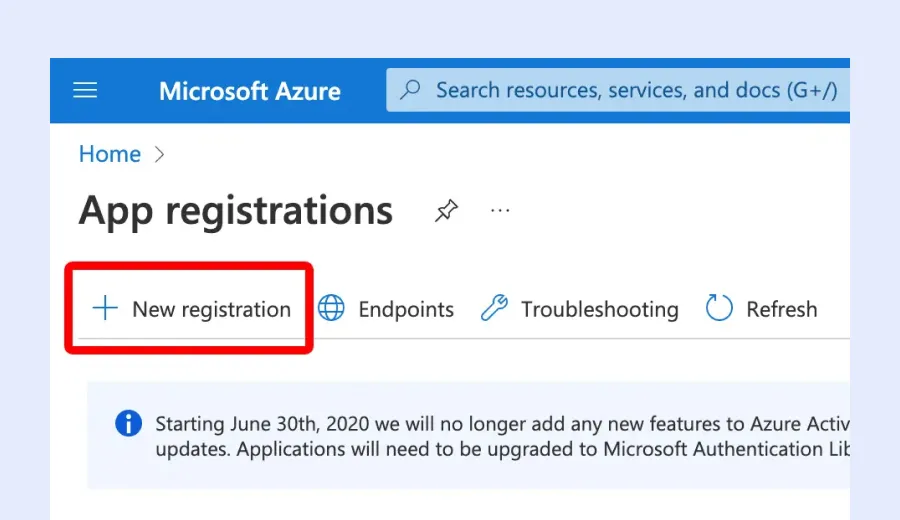
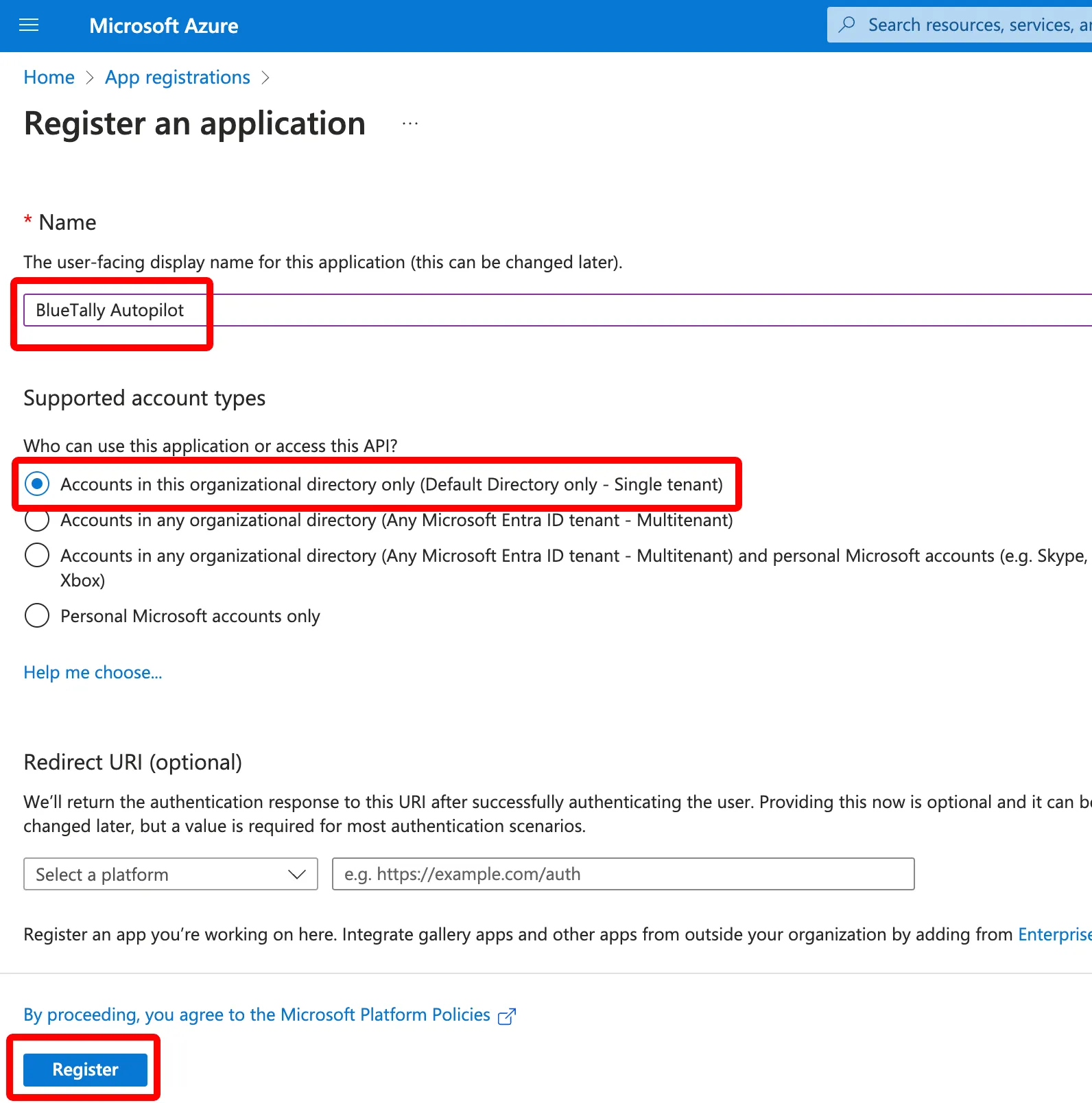
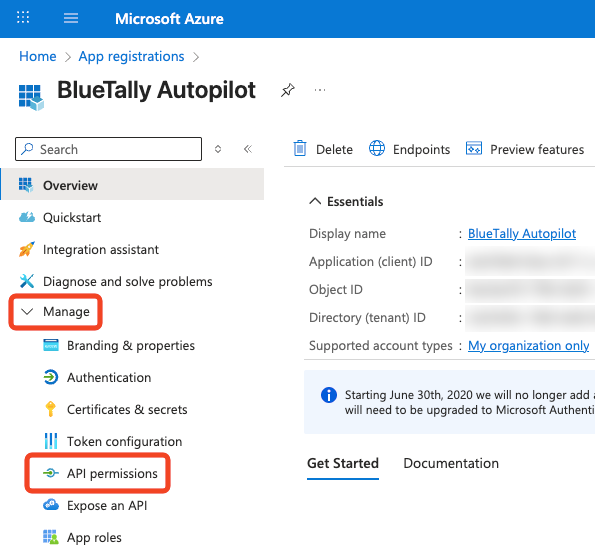
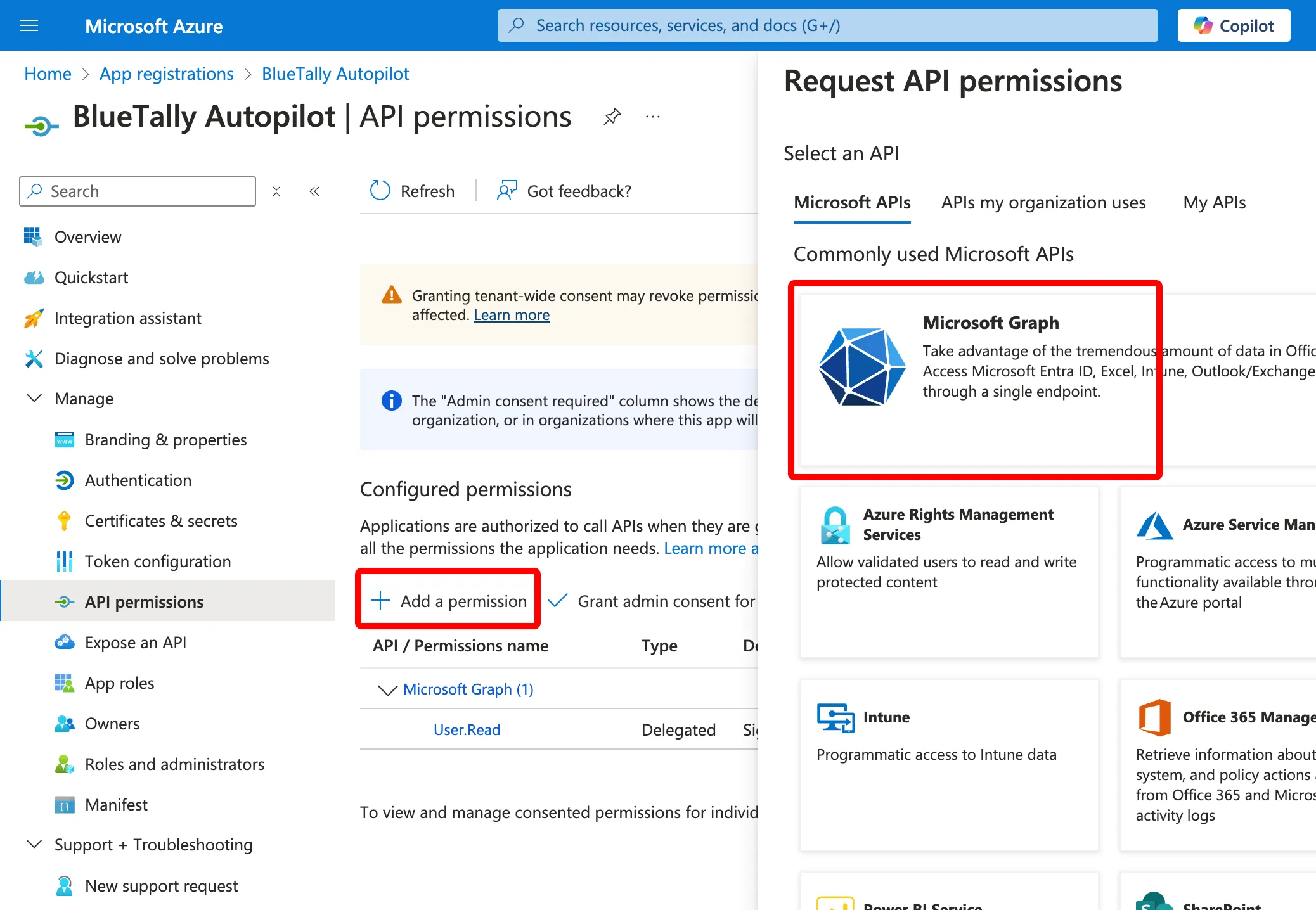
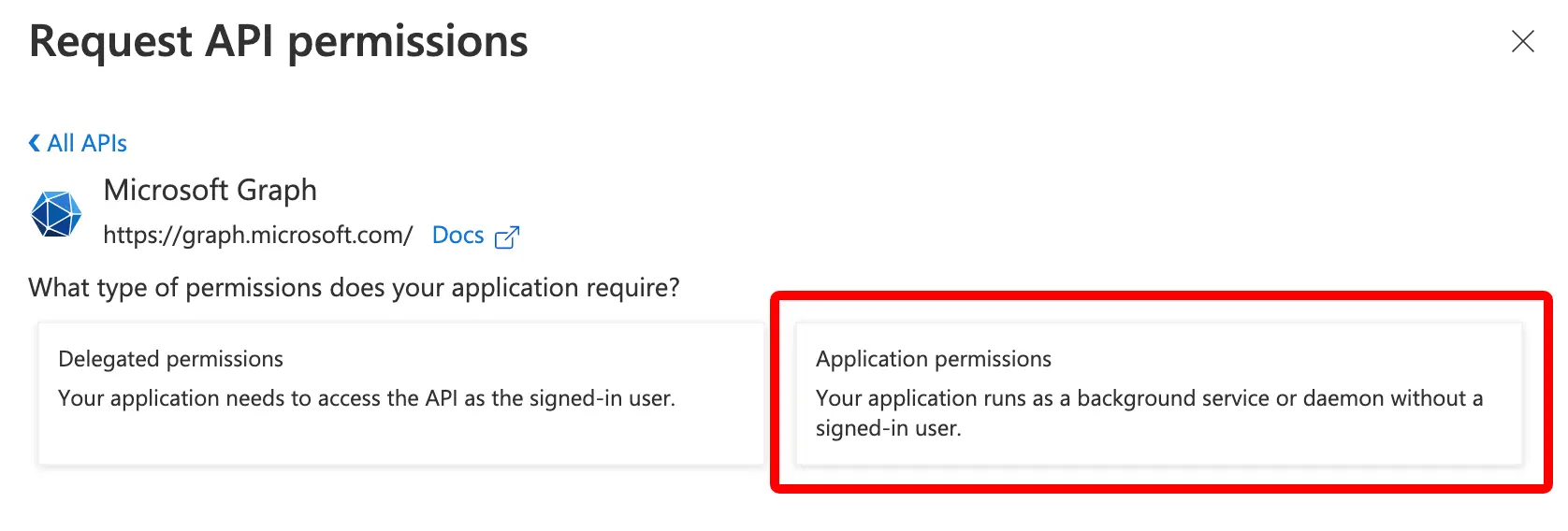
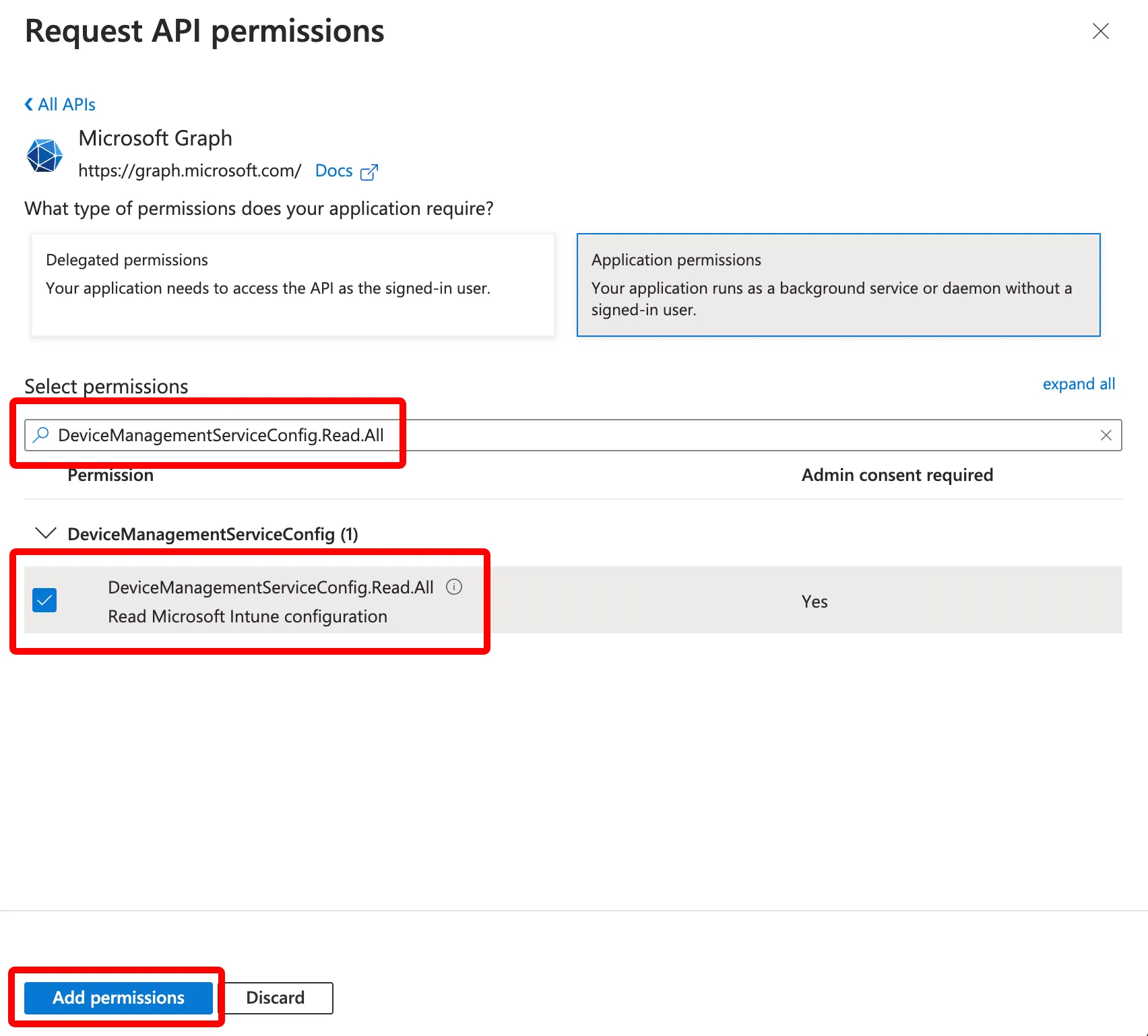
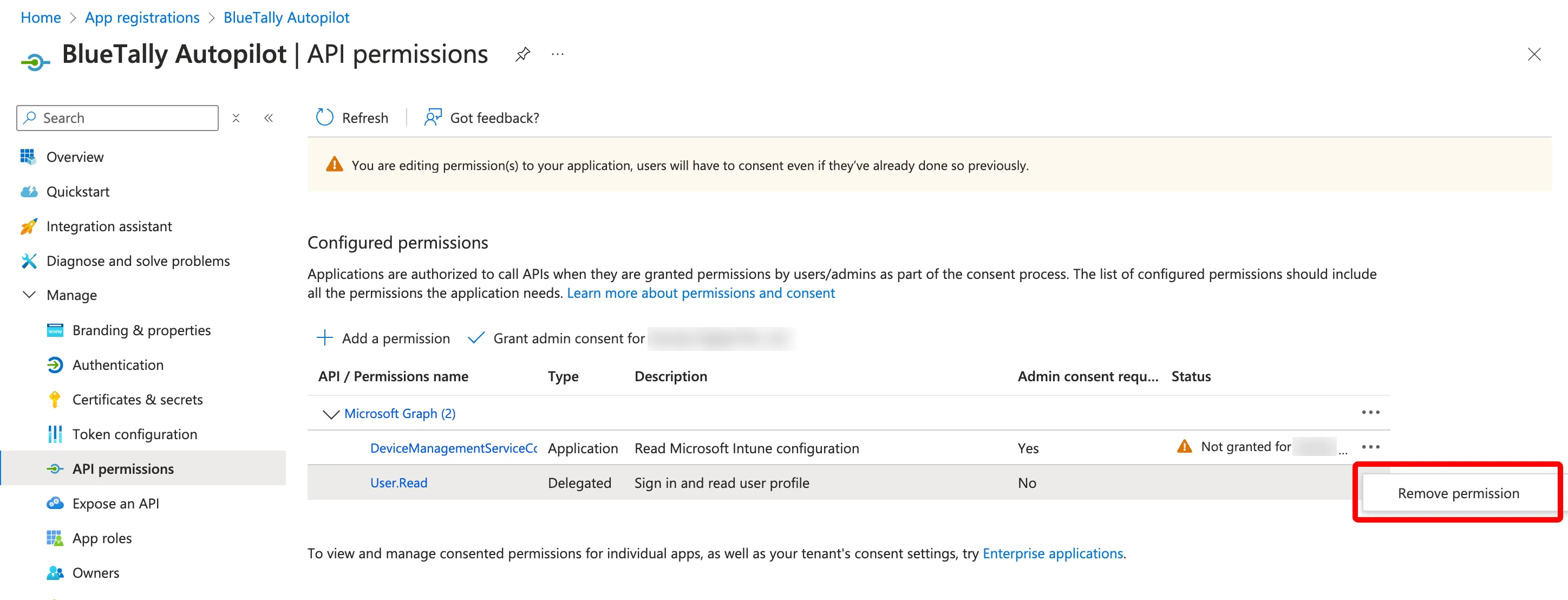
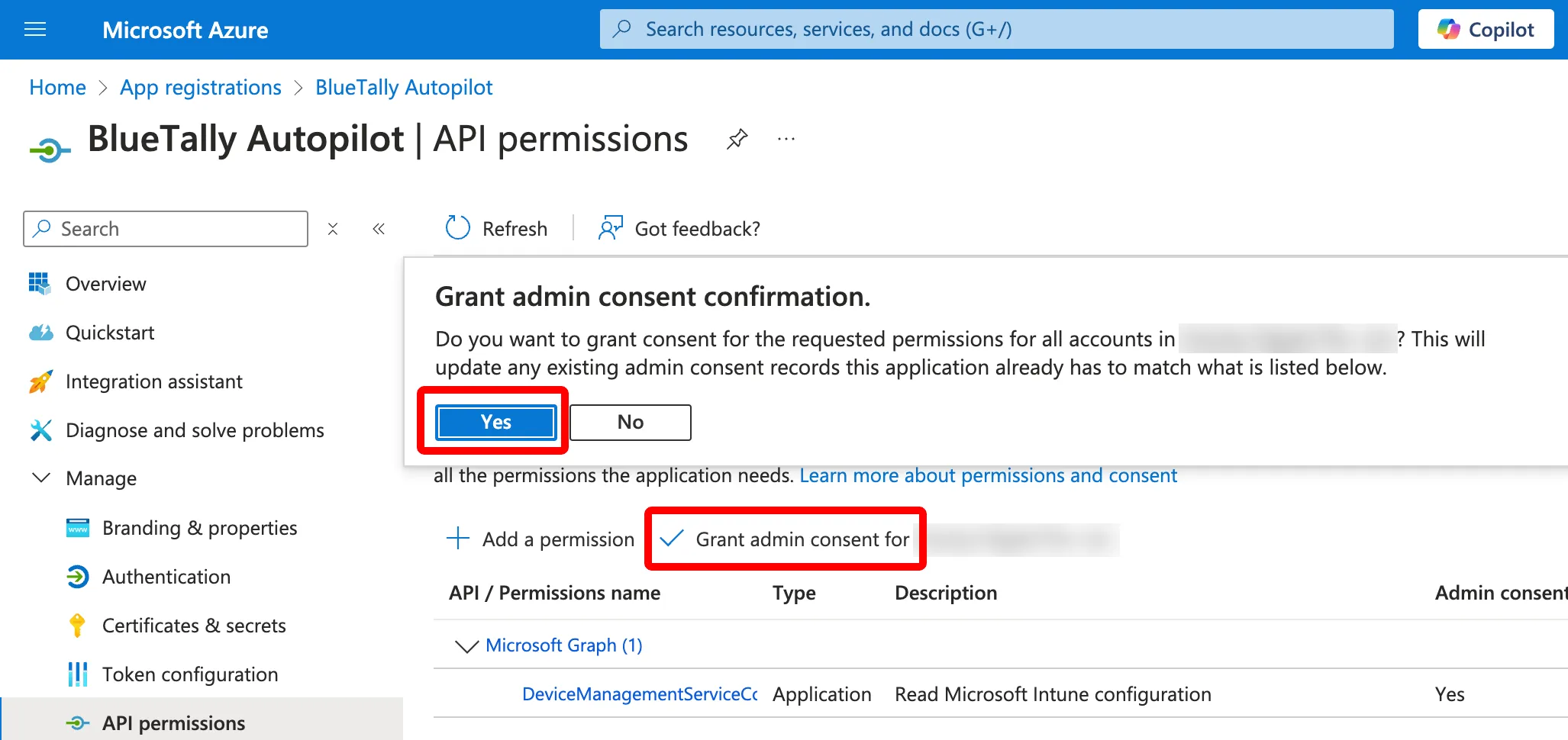
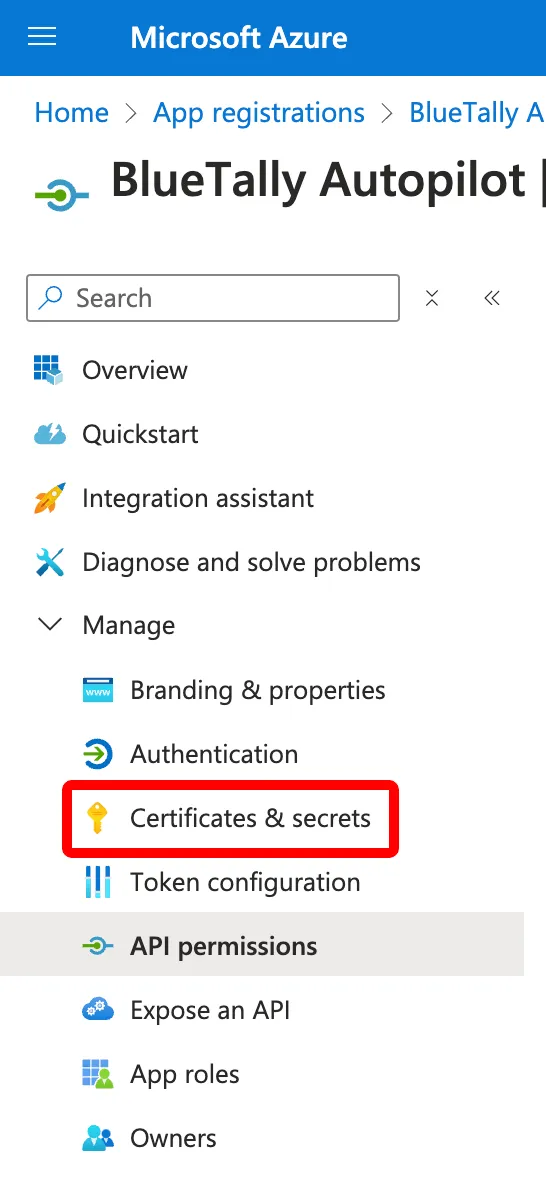
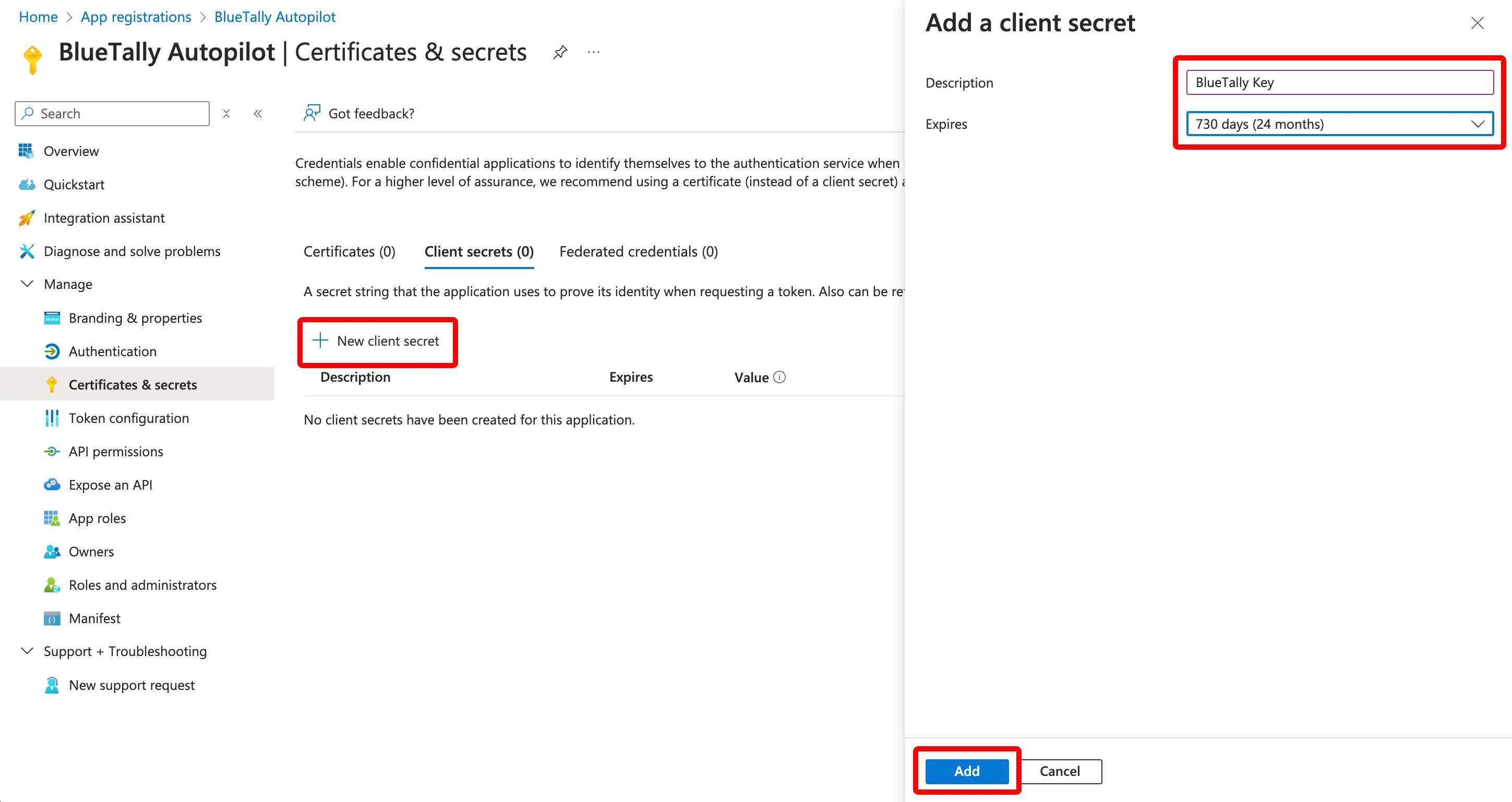
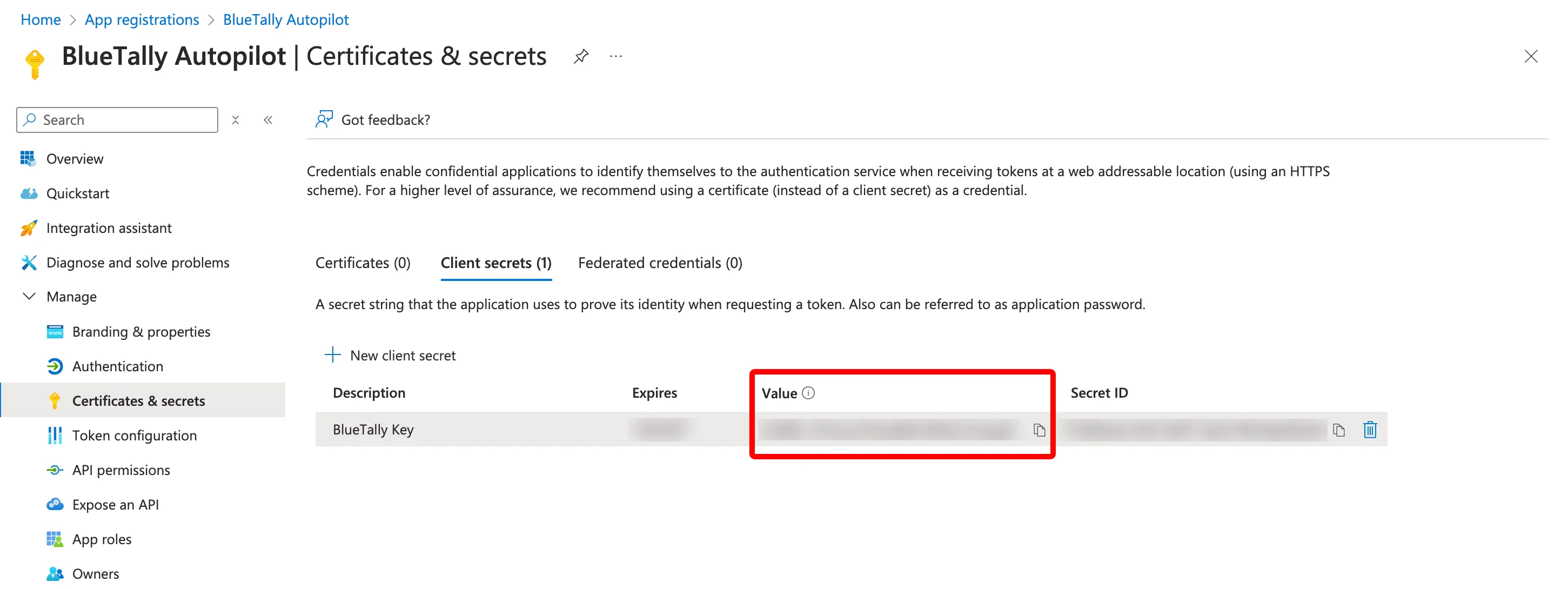
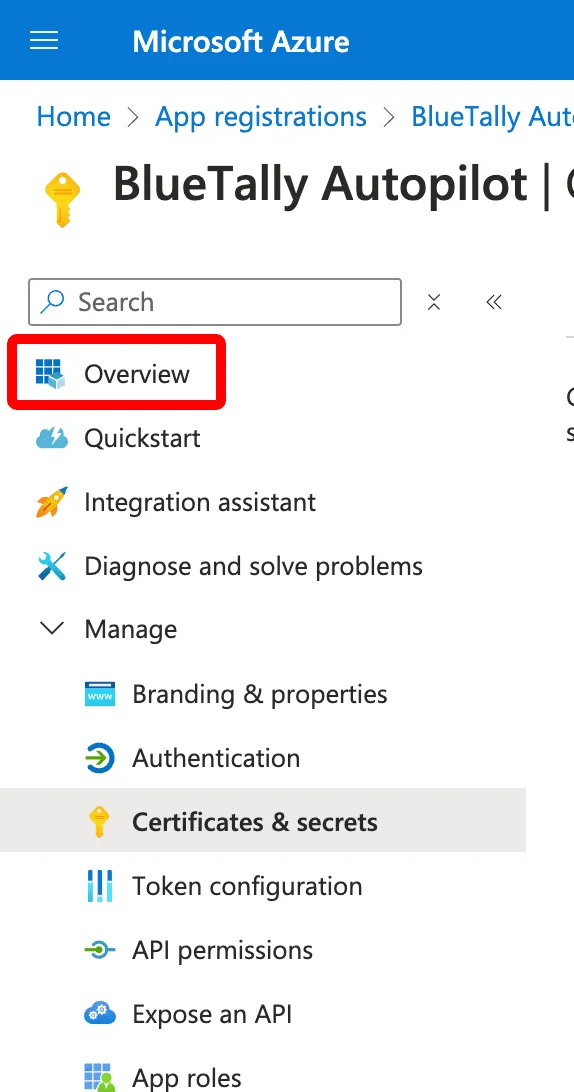
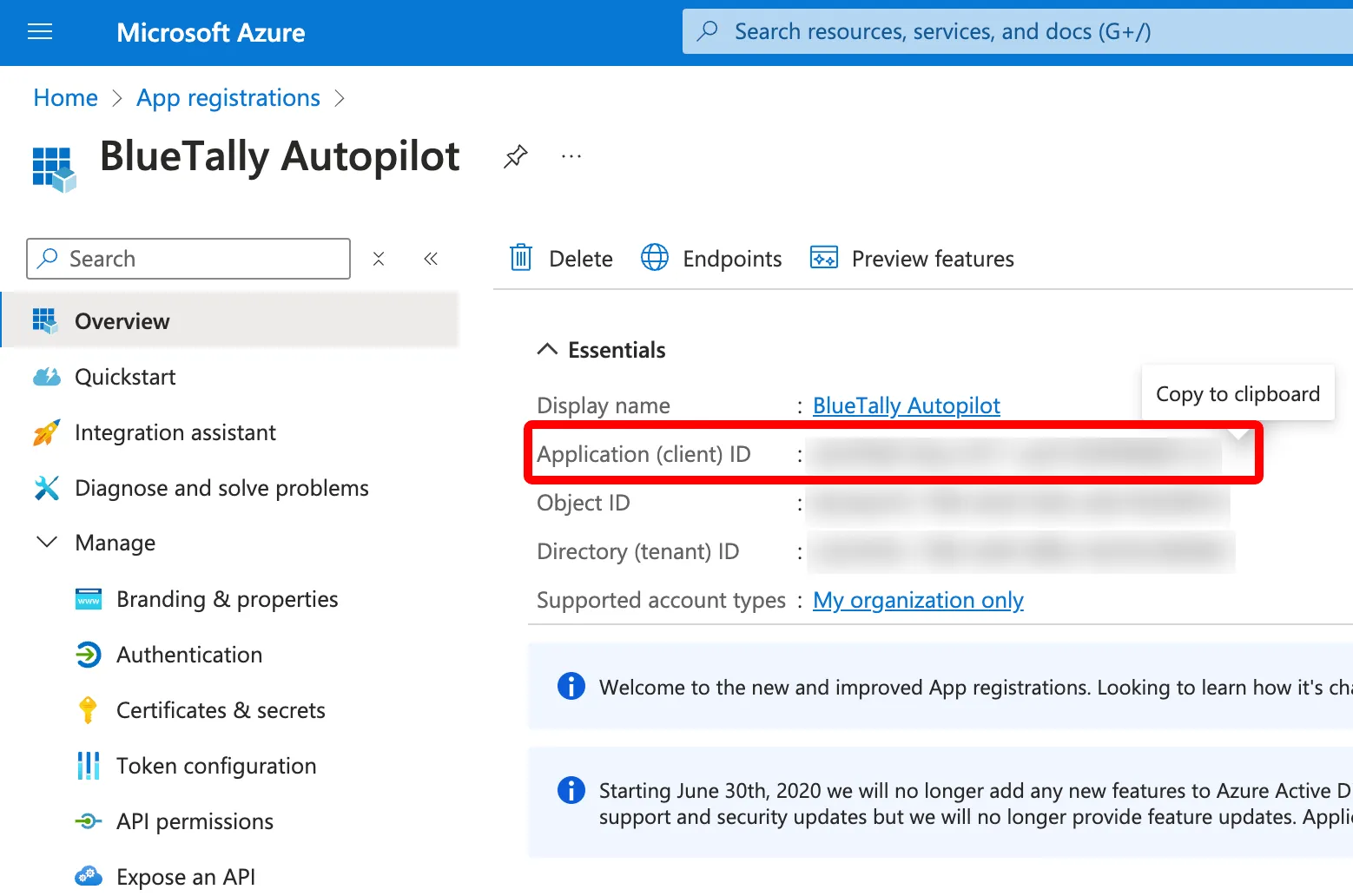
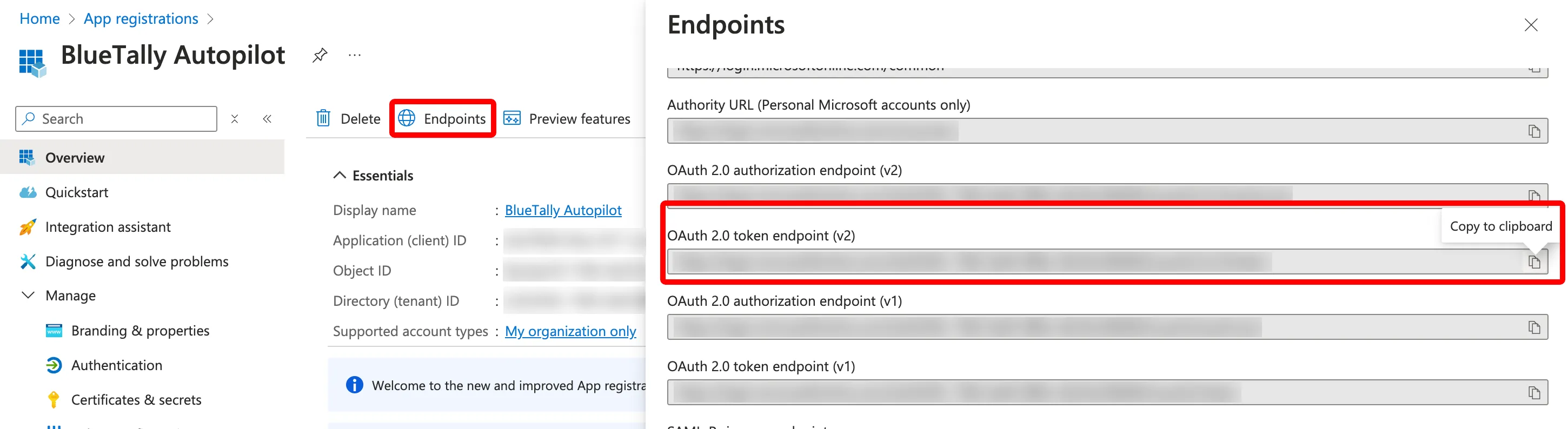
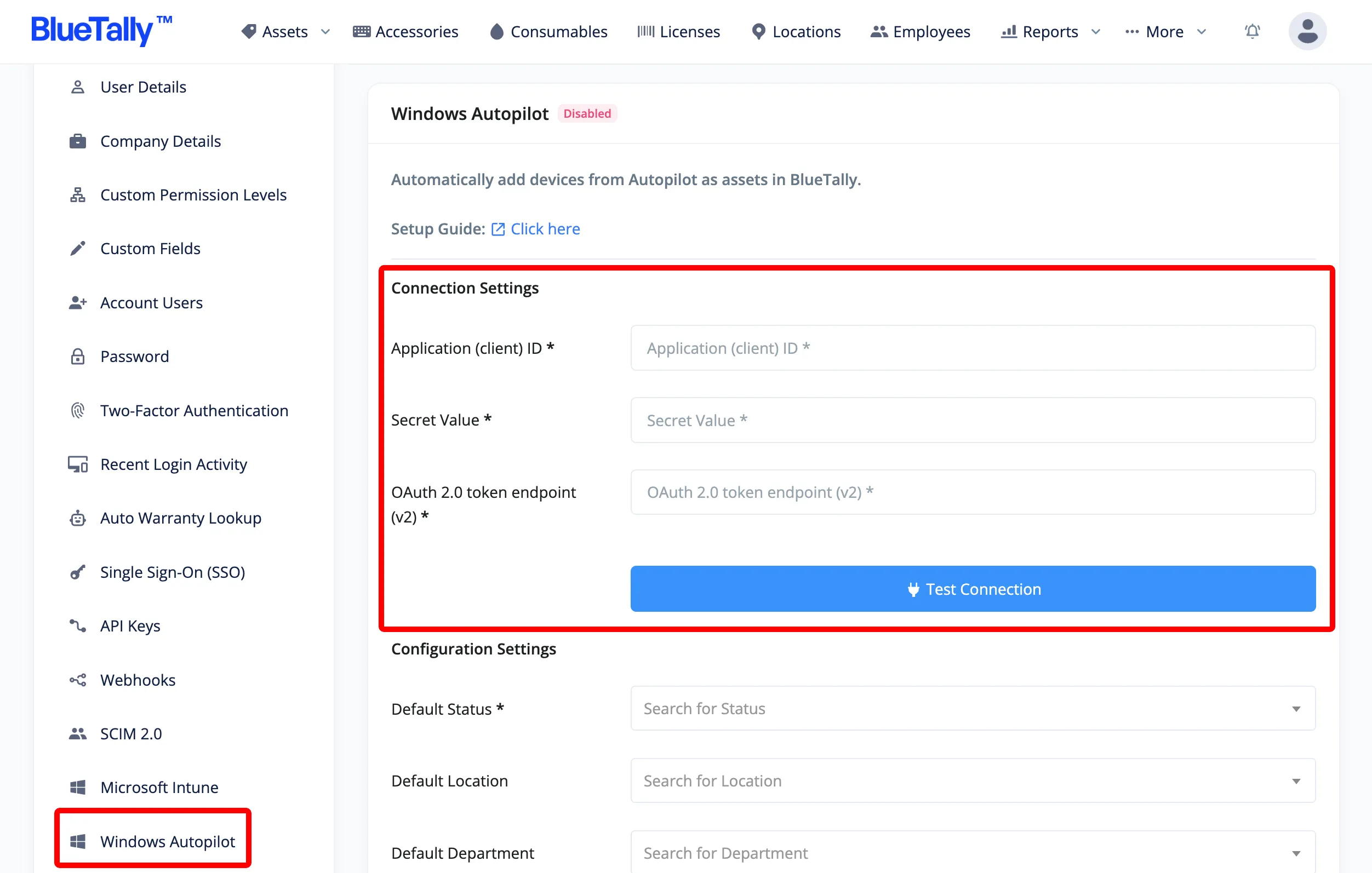
That's it! It will take around ~10 minutes for the first transfer to complete.
All new devices added to Autopilot will automatically be added as an asset in BlueTally, with the Asset ID in BlueTally mapped to the serial number of the device from Autopilot.
Once a device from Autopilot has been enrolled to Intune, our Intune integration will claim the asset in BlueTally and sync all the details from Intune to it - keeping the history of the asset from when it was first enrolled by Autopilot, and preventing duplicates.
To learn more about how this integration works, please refer to our knowledge base article.
If you have any questions regarding this integration, please don't hesitate to reach out to us and we'll assist you with your setup!
Looking for Autopilot asset management features and benefits?
See our Autopilot Asset Management Integration page for a complete overview.
Try it free for 14 days
Try BlueTally free for 14 days — the IT asset management software trusted by top IT teams. No credit card required.


