4.8

SOC2
Get control of your IT assets
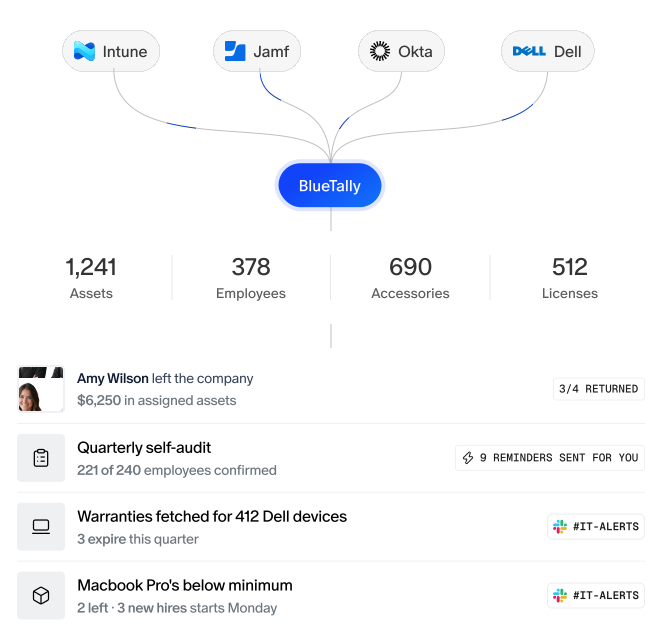
Spreadsheets weren’t built for IT asset management — BlueTally is. Track hardware and software licenses, automate your busywork, and see who has what in one place.
Trusted by IT teams worldwide








How BlueTally works
Connect
Connect the tools you already use — Intune, Jamf, Iru, Entra, and Microsoft 365 — to bring your asset records together.
Sync
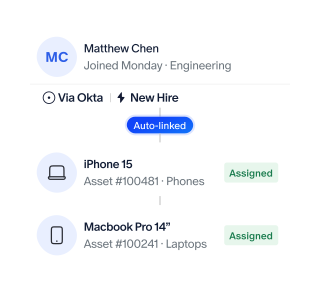
Automatically sync devices, employees, and licenses to keep your inventory accurate and assignments up to date as your team changes.
Act
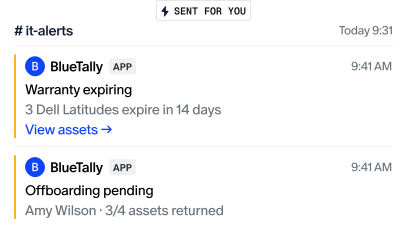
See which devices need returning, which licenses sit unused, and what needs attention when employees leave.
Get a single source of truth
for all your assets and licenses

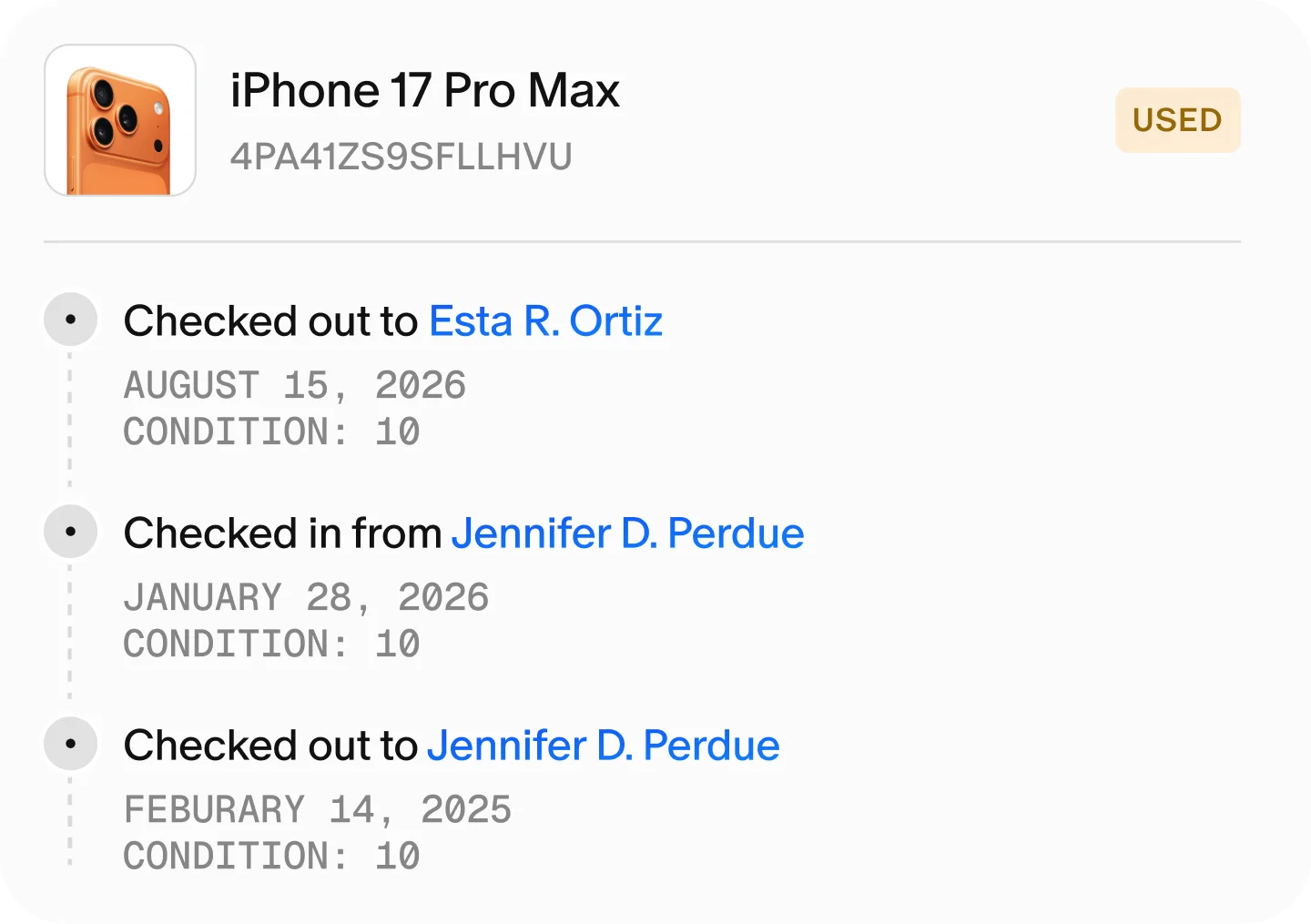
Eliminate Asset Blind Spots
Track each asset's lifecycle with detailed logs, synced via Intune, Jamf, and Iru.
Learn more
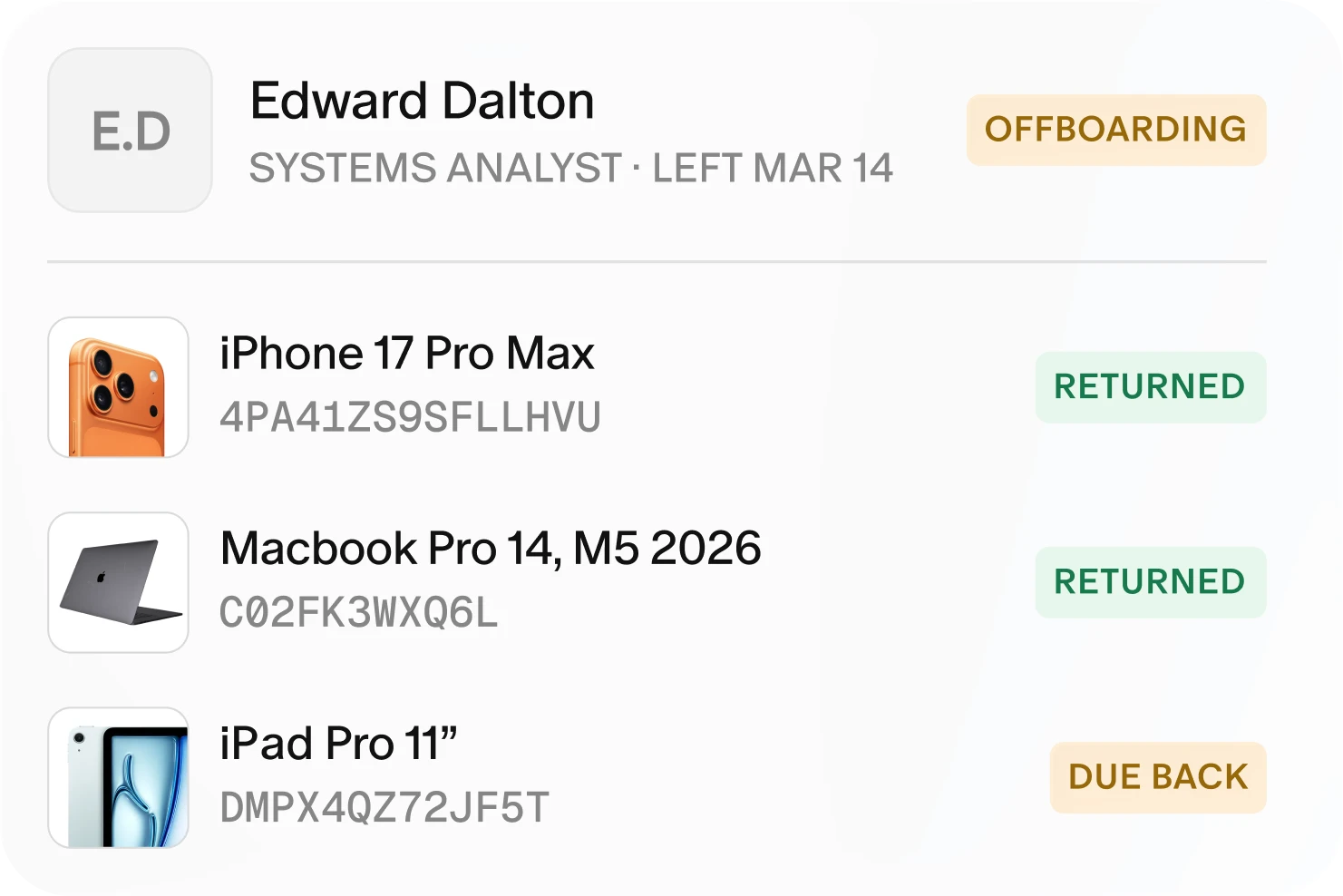
Simplify Onboarding and Offboarding
Automate new-hire assignments and flag returns instantly with real-time SCIM sync.
Learn more
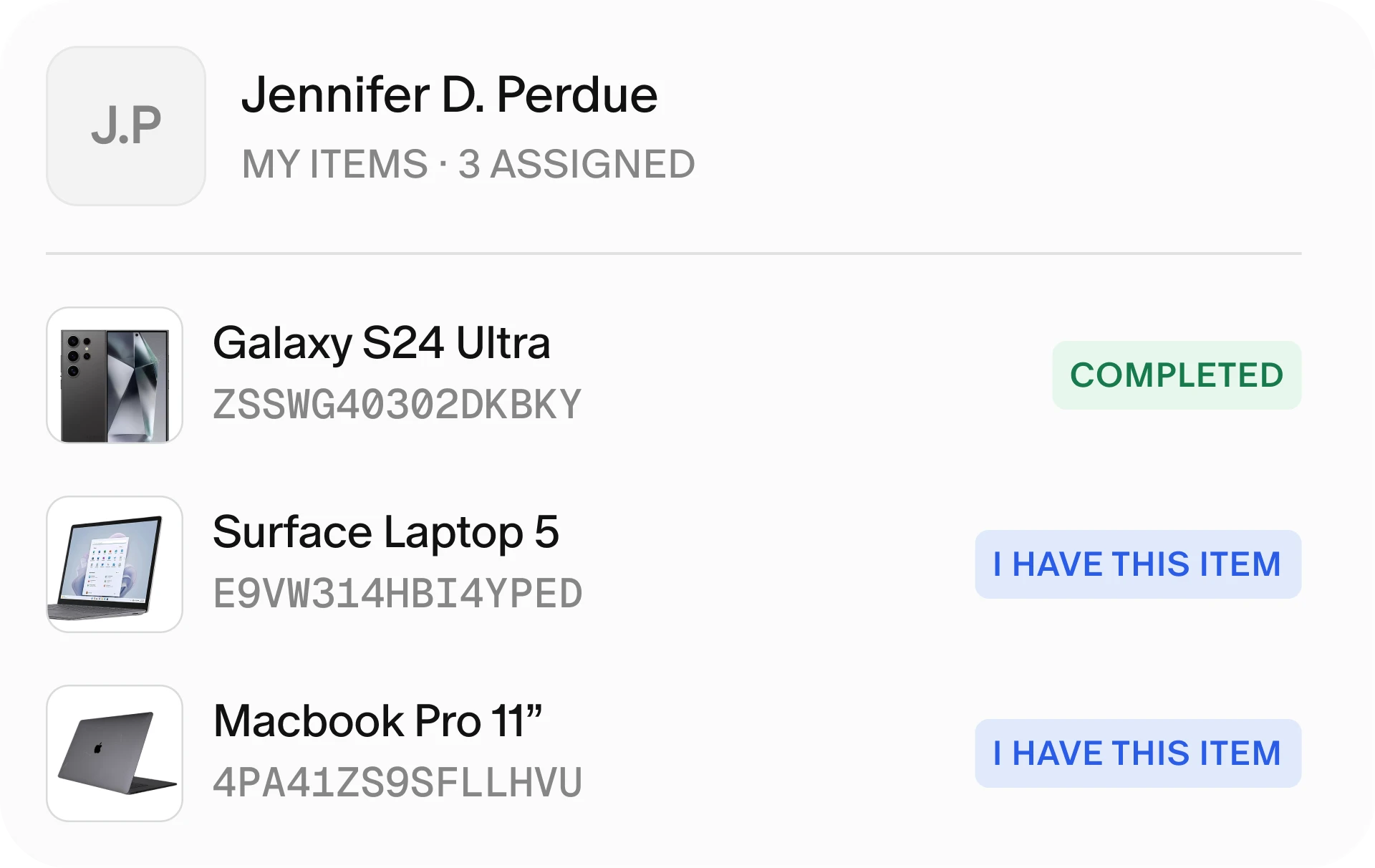
Stop IT Admin Overload
Employees and managers self-serve asset views instantly, kept accurate via SCIM.
Learn more
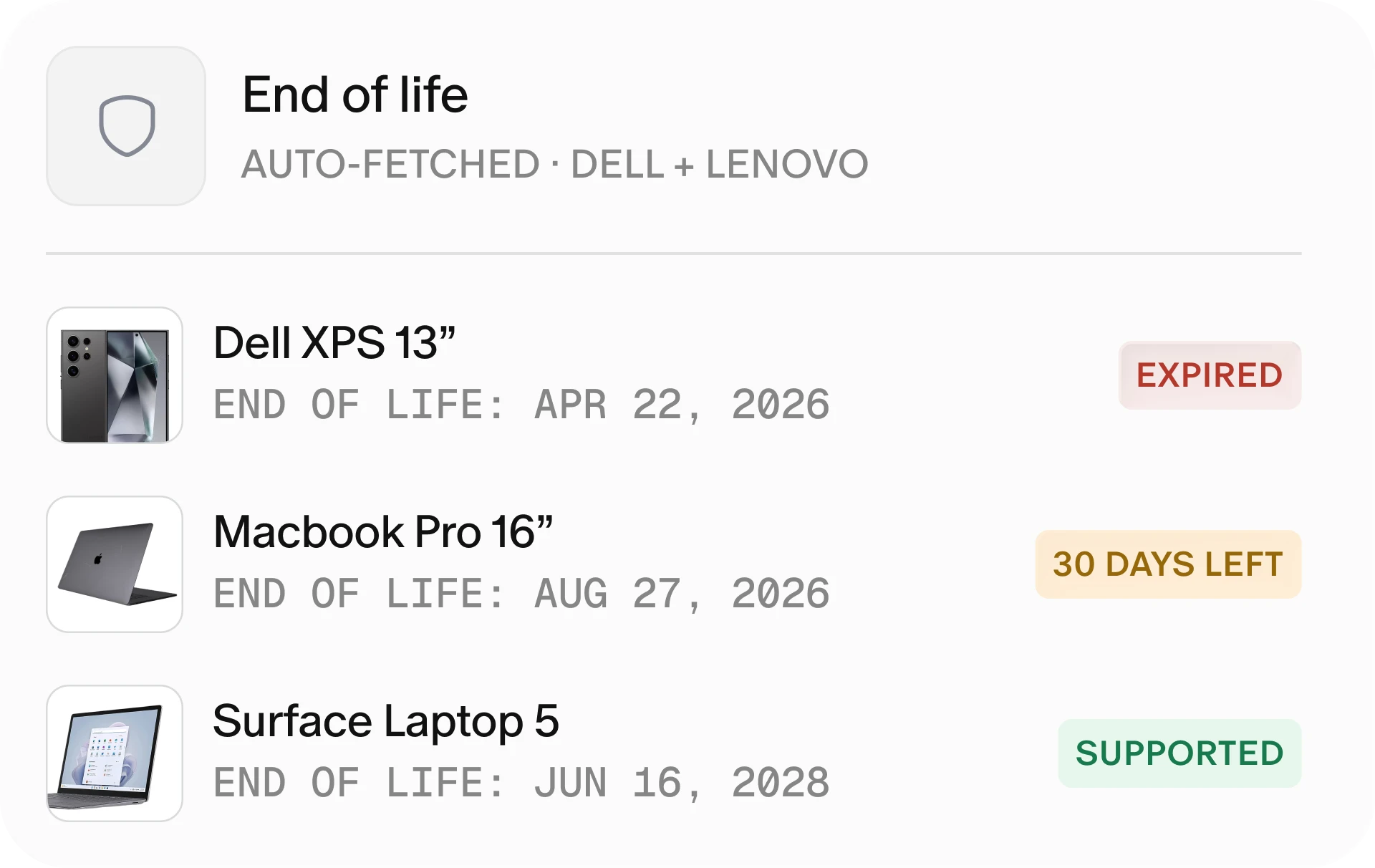
Prevent Security and Compliance Risks
Never miss a warranty deadline—BlueTally tracks Dell and Lenovo details for you.
Learn more
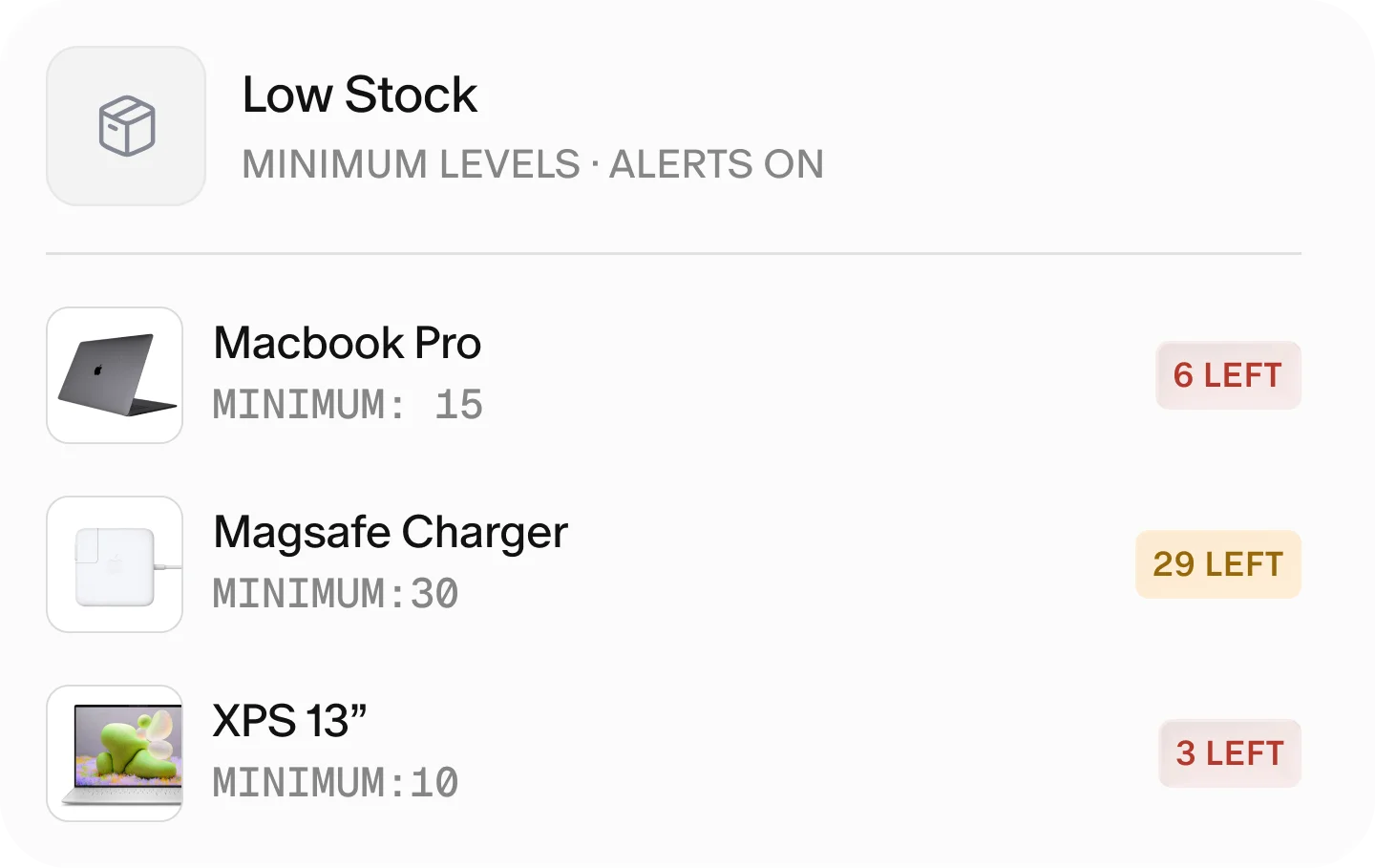
Avoid Costly Stock Shortages
Set stock minimums and get low-stock alerts, synced live through MDM integrations.
Learn more
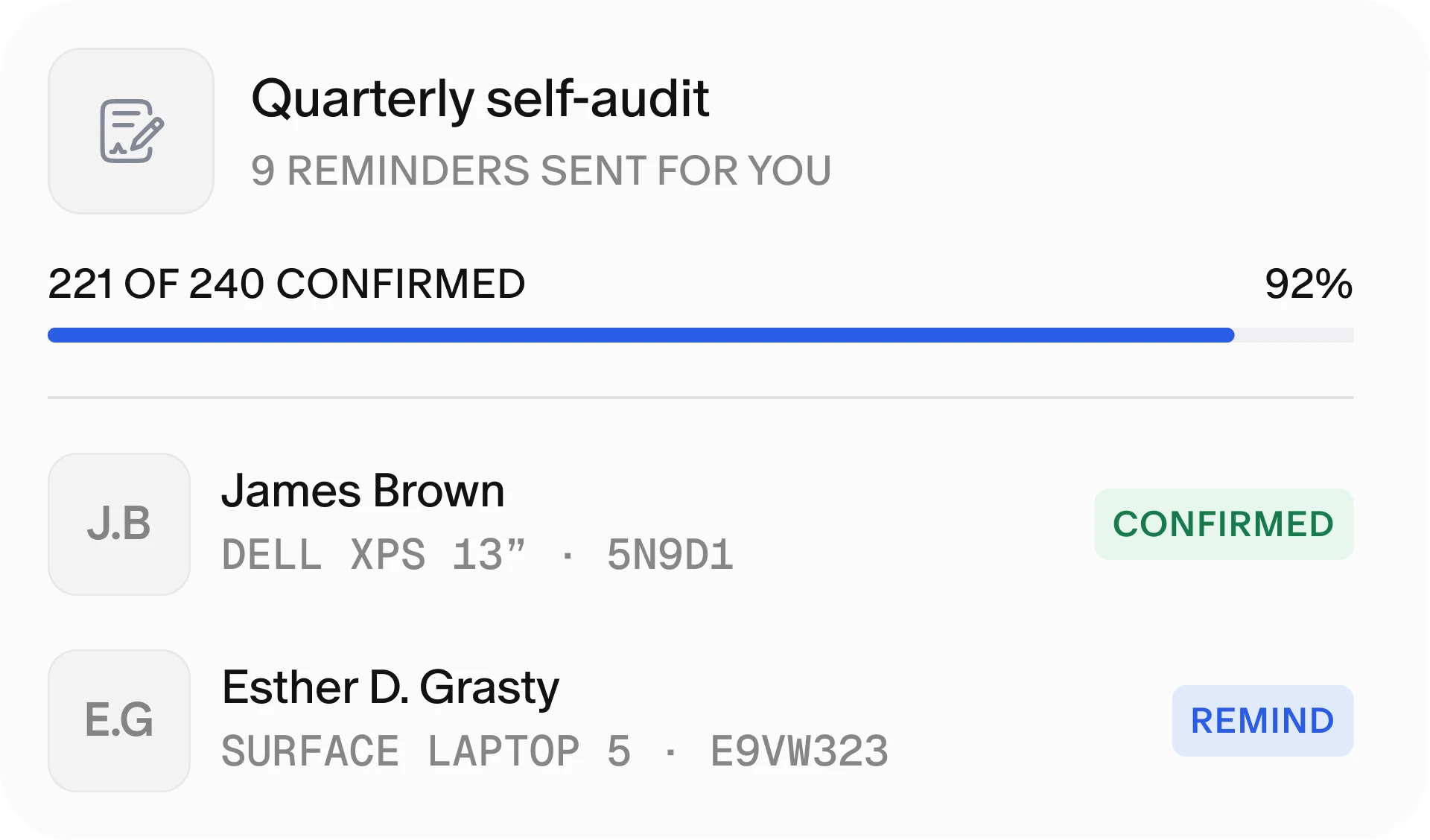
End Audit Chaos
Automate self-audits with one-click confirmations, saving IT hours of follow-up.
Learn more
Seamless integrations that automate your IT asset management

Microsoft Intune
Windows Autopilot

Jamf

Iru

Jira

Entra

Okta

OneLogin

JumpCloud

Google Workspace

Microsoft Teams

Slack

Lenovo

Brother Label Printers

Avery Stickers

REST API

Webhooks

Excel

SAML Single Sign-On

SCIM 2.0

Microsoft 365
Microsoft Intune
Windows Autopilot
Jamf
Iru
Jira
Entra
Okta
OneLogin
JumpCloud
Google Workspace
Microsoft Teams
Slack
Lenovo
Brother Label Printers
Avery Stickers
REST API
Webhooks
Excel
SAML Single Sign-On
SCIM 2.0
Microsoft 365
Microsoft Intune
Windows Autopilot
Jamf
Iru
Jira
Entra
Okta
OneLogin
JumpCloud
Google Workspace
Microsoft Teams
Slack
Lenovo
Brother Label Printers
Avery Stickers
REST API
Webhooks
Excel
SAML Single Sign-On
SCIM 2.0
Microsoft 365
Microsoft Intune
Windows Autopilot
Jamf
Iru
Jira
Entra
Okta
OneLogin
JumpCloud
Google Workspace
Microsoft Teams
Slack
Lenovo
Brother Label Printers
Avery Stickers
REST API
Webhooks
Excel
SAML Single Sign-On
SCIM 2.0
Microsoft 365
Microsoft 365
SCIM 2.0
SAML Single Sign-On
Excel
Webhooks
REST API
Avery Stickers
Brother Label Printers
Lenovo
Slack
Microsoft Teams
Google Workspace
JumpCloud
OneLogin
Okta
Entra
Jira
Iru
Jamf
Windows Autopilot
Microsoft Intune
Microsoft 365
SCIM 2.0
SAML Single Sign-On
Excel
Webhooks
REST API
Avery Stickers
Brother Label Printers
Lenovo
Slack
Microsoft Teams
Google Workspace
JumpCloud
OneLogin
Okta
Entra
Jira
Iru
Jamf
Windows Autopilot
Microsoft Intune
Microsoft 365
SCIM 2.0
SAML Single Sign-On
Excel
Webhooks
REST API
Avery Stickers
Brother Label Printers
Lenovo
Slack
Microsoft Teams
Google Workspace
JumpCloud
OneLogin
Okta
Entra
Jira
Iru
Jamf
Windows Autopilot
Microsoft Intune
Microsoft 365
SCIM 2.0
SAML Single Sign-On
Excel
Webhooks
REST API
Avery Stickers
Brother Label Printers
Lenovo
Slack
Microsoft Teams
Google Workspace
JumpCloud
OneLogin
Okta
Entra
Jira
Iru
Jamf
Windows Autopilot
Microsoft Intune
Join thousands of IT teams who have eliminated manual asset tracking with BlueTally
“We have saved about 10-20 hours a month trying to track down hardware”
– Joshua Farmer, Community Choice Credit Union

The BlueTally team has been incredibly responsive and flexible throughout our rollout, supporting us every step of the way. The platform has quickly become an integral part of how we manage IT assets globally, helping us standardize inventory management and reduce security risk from outdated equipment.


I 100% recommend BlueTally. It’s been a game changer for how I manage assets and the time I save tracking them. The support staff is amazing and always ready to help. BlueTally is amazing, and I look forward to growing our asset management capabilities with them.


Our company desperately needed a system to track our assets and provide accurate reporting. BlueTally not only met our needs but also implemented our feature requests quickly. Their support has been excellent, and over the last two years, it has been a huge success for our team.


BlueTally improved our internal processes a lot in terms of efficiency and data correctness!


BlueTally has transformed how we track inventory, giving us access to critical information we couldn’t document before. The integrations save time, reduce manual errors, and the platform is incredibly user-friendly. Their support is responsive and always improving the software.
.webp)

If you’re still struggling with tedious Excel lists, you should definitely consider BlueTally. For the price, it offers an incomparable number of functions, especially if you use a lot of Microsoft products like Microsoft Intune. BlueTally has ensured that asset management is finally fun again and transparent for everyone.

Top-rated ITAM.
Proven performance.

Best Ease of Use
Capterra 2026

Front Runners
Software Advice 2026

Shortlist
Capterra 2026

Category Leaders
GetApp 2025

Front Runners
Software Advice 2025
Experience it yourself
Explore our live demo site to discover BlueTally’s incredible potential. Dive in and explore the impressive array of features and capabilities today!

Frequently asked questions
Are you SOC 2 Certified?

Yes, BlueTally is SOC 2 Type II certified! To learn more about our security initiatives and how we protect your data, visit our Trust Center.
Where are your servers located?
BlueTally is hosted on Amazon AWS servers, which are located in Frankfurt, Germany. This means that your data is within the EU and fully GDPR compliant.
Can I ask questions about BlueTally before signing up?
You can watch a full 40-minute walkthrough of BlueTally here, which gives you a complete look at how the platform works.
You can also explore BlueTally right away using our live demo environment, or start a free 14-day trial here - no credit card required.
If you have any questions after exploring, feel free to book a 30-minute Q&A session with one of our product specialists.
You can also explore BlueTally right away using our live demo environment, or start a free 14-day trial here - no credit card required.
If you have any questions after exploring, feel free to book a 30-minute Q&A session with one of our product specialists.
Are there any setup fees?
No, there are no setup costs or hidden fees on any of our plans. You simply add a credit card to start your subscription and pay on a monthly or yearly basis.
Am I locked in once I sign up?
No, BlueTally is completely no strings attached - you can cancel your plan anytime, and there are no minimum time requirements or contracts.
What is IT asset management software?
IT asset management software is a centralized platform that tracks, manages, and optimizes your organization's technology assets throughout their entire lifecycle - from procurement to retirement. This includes hardware (laptops, monitors, phones, servers), software licenses, accessories, and consumables.
IT asset management software replaces error-prone spreadsheets with automated workflows for assignments, audits, maintenance tracking, and reporting, giving IT teams real-time visibility into who has what, where assets are located, and when they need attention.
IT asset management software replaces error-prone spreadsheets with automated workflows for assignments, audits, maintenance tracking, and reporting, giving IT teams real-time visibility into who has what, where assets are located, and when they need attention.
What is the best IT asset management software?
The best IT asset management software depends on your organization's size and needs. For IT teams that want powerful features without complexity, BlueTally is rated a top IT asset management software by Gartner Digital Markets for 2026.
Key factors to consider include: ease of use, integrations with your existing tools (like Intune, Jamf, or Entra ID), automated workflows for onboarding/offboarding, and responsive customer support. BlueTally offers a free 14-day trial and live demo so you can evaluate fit before committing.
Key factors to consider include: ease of use, integrations with your existing tools (like Intune, Jamf, or Entra ID), automated workflows for onboarding/offboarding, and responsive customer support. BlueTally offers a free 14-day trial and live demo so you can evaluate fit before committing.
What is asset management software used for?
Asset management software is used to track and manage physical and digital assets throughout their lifecycle. Common use cases include: tracking who has which equipment, managing software licenses and renewals, automating employee onboarding and offboarding, conducting asset audits, monitoring warranty expirations, preventing stock shortages, and generating compliance reports.
By centralizing this data, organizations reduce lost equipment, avoid duplicate purchases, and maintain accountability across distributed teams.
By centralizing this data, organizations reduce lost equipment, avoid duplicate purchases, and maintain accountability across distributed teams.
Does Microsoft have an IT asset management tool?
Microsoft Intune provides device management and endpoint security, but it's not a complete IT asset management solution. Intune excels at deploying software and enforcing policies, but lacks features like asset assignment tracking, lifecycle management, audit workflows, and accountability records for who has what equipment.
Many organizations use BlueTally alongside Intune - our integration automatically syncs devices from Intune and Autopilot, then adds the assignment, checkout history, and lifecycle tracking that Intune doesn't provide.
Many organizations use BlueTally alongside Intune - our integration automatically syncs devices from Intune and Autopilot, then adds the assignment, checkout history, and lifecycle tracking that Intune doesn't provide.
How is IT asset management software different from spreadsheets?
Spreadsheets become unreliable as your asset count grows - they lack version control, real-time updates, automated alerts, and integration capabilities.
IT asset management software like BlueTally provides: a single source of truth accessible to your entire team, automatic syncing with MDMs like Intune and Jamf, automated reminders for warranty expirations and overdue returns, self-service portals where employees can see their assigned items, audit trails for compliance, and reporting that takes seconds instead of hours.
IT asset management software like BlueTally provides: a single source of truth accessible to your entire team, automatic syncing with MDMs like Intune and Jamf, automated reminders for warranty expirations and overdue returns, self-service portals where employees can see their assigned items, audit trails for compliance, and reporting that takes seconds instead of hours.
What integrations does BlueTally support?
BlueTally integrates with the tools IT teams already use: Microsoft Intune, Autopilot, Jamf, and Iru for automatic device syncing; Entra ID, Okta, and OneLogin for SCIM user provisioning and SSO; Jira for asset visibility within tickets; Slack and Microsoft Teams for notifications; Dell and Lenovo for automated warranty lookups; and Brother label printers for one-click asset tag printing. We also offer a REST API and webhooks for custom integrations.
Can BlueTally track software licenses?
Yes. BlueTally tracks software licenses alongside your hardware assets, so you can see who has what in one place. Set seat counts, assign licenses to users or devices, and monitor availability. With the Microsoft 365 integration, subscriptions and user assignments sync automatically. Enter your license costs to see what unused seats are costing you, and flag licenses assigned to departing employees. License changes are made in Microsoft 365 and reflected in BlueTally on the next sync.
How does BlueTally help with employee onboarding and offboarding?
BlueTally automates the asset side of employee transitions. For onboarding, you can create equipment kits and quickly assign all items with digital signature confirmation.
For offboarding, our SCIM integration automatically detects when someone leaves (their status updates in real-time), flags all their assigned assets as due for return, and provides a dedicated offboarding dashboard showing exactly what needs to be collected. No more chasing down equipment or losing track of who had what.
For offboarding, our SCIM integration automatically detects when someone leaves (their status updates in real-time), flags all their assigned assets as due for return, and provides a dedicated offboarding dashboard showing exactly what needs to be collected. No more chasing down equipment or losing track of who had what.
Is BlueTally suitable for remote and distributed teams?
Absolutely. BlueTally was built for modern IT teams managing assets across multiple locations and remote workers. All data is cloud-based and accessible from any device. Employees can view their assigned items through a self-service portal, managers can see their direct reports' equipment, and IT can track assets regardless of physical location. Our integrations with MDMs provide real-time device data even when equipment isn't on your network.
How long does it take to set up BlueTally?
Most teams are up and running within a few hours. You can import existing data from spreadsheets with our one-click import feature, or connect your MDM (Intune, Jamf, Iru) to automatically sync devices. Our setup guides walk you through each step, and if you need help, our support team is responsive and hands-on. Enterprise customers can also opt for white-glove onboarding assistance.
Is there a free version of BlueTally?
Yes. BlueTally offers a free tier that lets you manage up to 50 assets with no time limit - no credit card required. This allows small teams to get started and experience the platform before deciding to upgrade. Paid plans start at competitive rates with transparent pricing and no hidden fees.
Try it free for 14 days
Try BlueTally free for 14 days — the ITAM platform trusted by top IT teams. No credit card required.


