The 11 Best Free Asset Tagging Software in 2026
Asset tagging is the unglamorous step that makes everything else work. Stick a scannable label on every laptop, monitor, and tool, and audits become an afternoon of scanning instead of a week of interrogations. Skip it, and even the best IT asset management software is just a database nobody trusts.
The good news: you don't need to pay anything to start. Most tagging software generates barcodes or QR codes automatically, your phone camera works as a scanner, and label printing runs on hardware you may already own. In this guide we compare 11 asset tagging tools, with honest notes on which ones are genuinely free and which only offer trials.
The 11 Best Free Asset Tagging Software at a Glance
How We Chose (and How You Should)
Five things separate tagging tools people keep using from tools people abandon:
- Tag generation. The software should create a unique barcode or QR code for every asset automatically, from the asset ID, with no manual numbering scheme to maintain.
- Printing without special hardware. Support for standard label printers like Brother, or sheet templates like Avery, beats tools that require proprietary label stock.
- Scanning with a phone. If checking an asset requires a dedicated handheld scanner, tags stop getting scanned. Smartphone camera scanning is the baseline in 2026.
- What happens after the scan. A tag is only useful if scanning it shows who has the asset, its condition, and its history. Tagging without assignment tracking is decoration.
- An honest free tier. Several tools in this category advertise "free" and mean "14-day trial." We flag the difference for each tool below.
1. BlueTally
Best for IT teams tagging and assigning equipment.
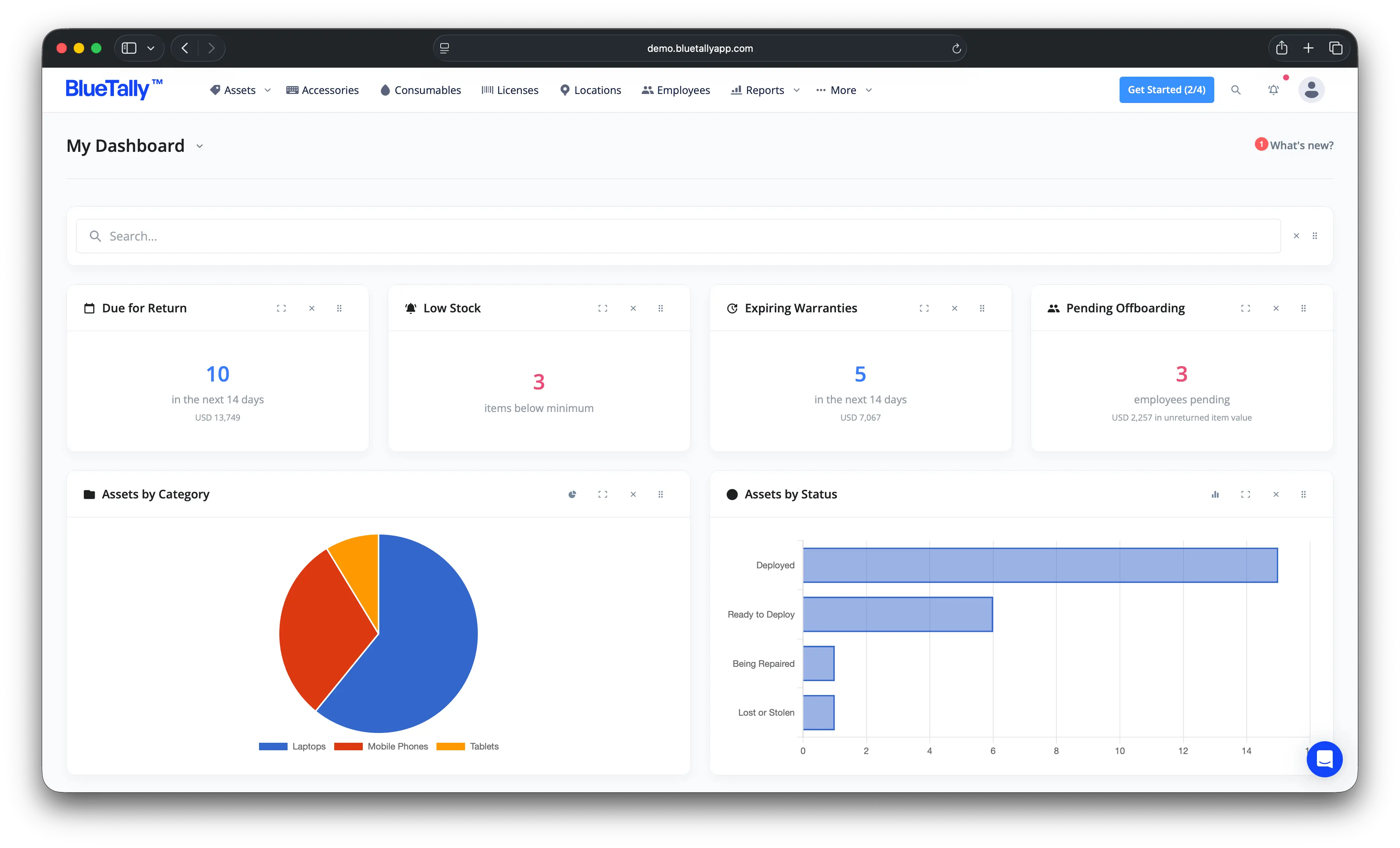
BlueTally generates a unique barcode for every asset from your chosen asset ID, prints to Brother label printers or Avery templates, and makes the scan useful: scanning a tag shows the asset's assignment, condition history, and full changelog. The asset tagging workflow is built into check-in and check-out, so tags stay meaningful as equipment moves between employees.
Key features
- Automatic barcode generation: every asset gets a scannable code created from its asset ID, with customizable label text.
- Label printing: print on Brother label printers or standard Avery sheets, no proprietary stock.
- Scan-to-record: scanning opens the asset's page with assignment, condition photos, and history.
- Device sync: integrations with Intune, Jamf, Iru, Entra, Okta, and Google Workspace create the asset records your tags point to, with no manual entry.
Free tier
Yes: the full product, free for up to 50 assets, no credit card. Paid plans are flat-rate with unlimited assets and users, each with a free 14-day trial.
Pros
- Tag generation, printing, and scanning included on the free plan
- Scans resolve to full assignment and audit history
- No proprietary label hardware required
Cons
- Free plan caps at 50 assets
- Cloud only, no self-hosted option
2. Snipe-IT
Best open source option.
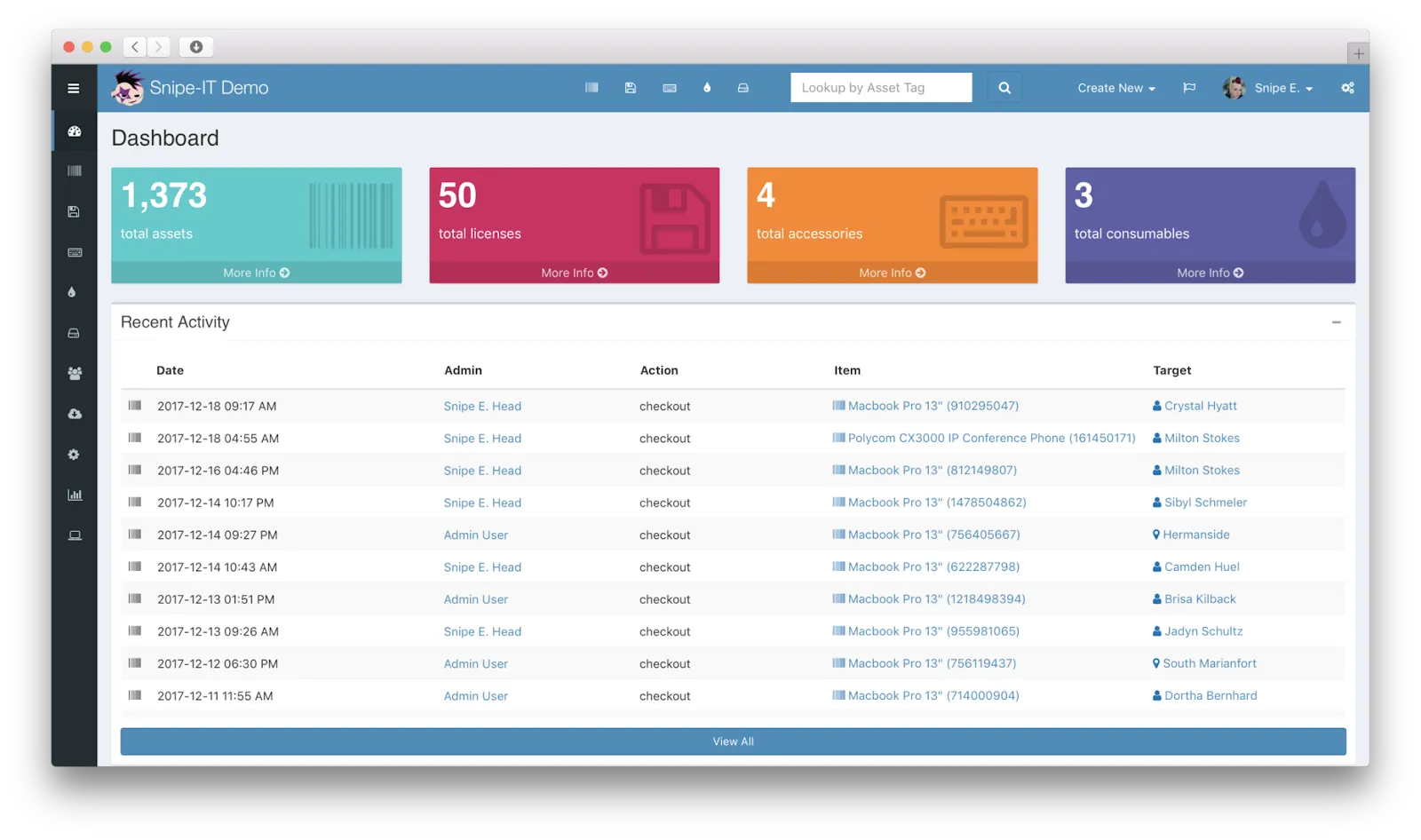
Snipe-IT is the open source standard for asset management, and its tagging support is solid: barcode and QR generation, label printing, and scanning tied to asset records, with a REST API for custom workflows.
Free tier
Yes, genuinely: free and open source, self-hosted, no asset limits. You provide the server and the sysadmin time.
Pros
- Free forever with no caps
- Full control over data and hosting
- Active community
Cons
- Setup, upgrades, and backups are on you
- Dated interface
3. AssetTiger
Best genuinely free cloud tagging.
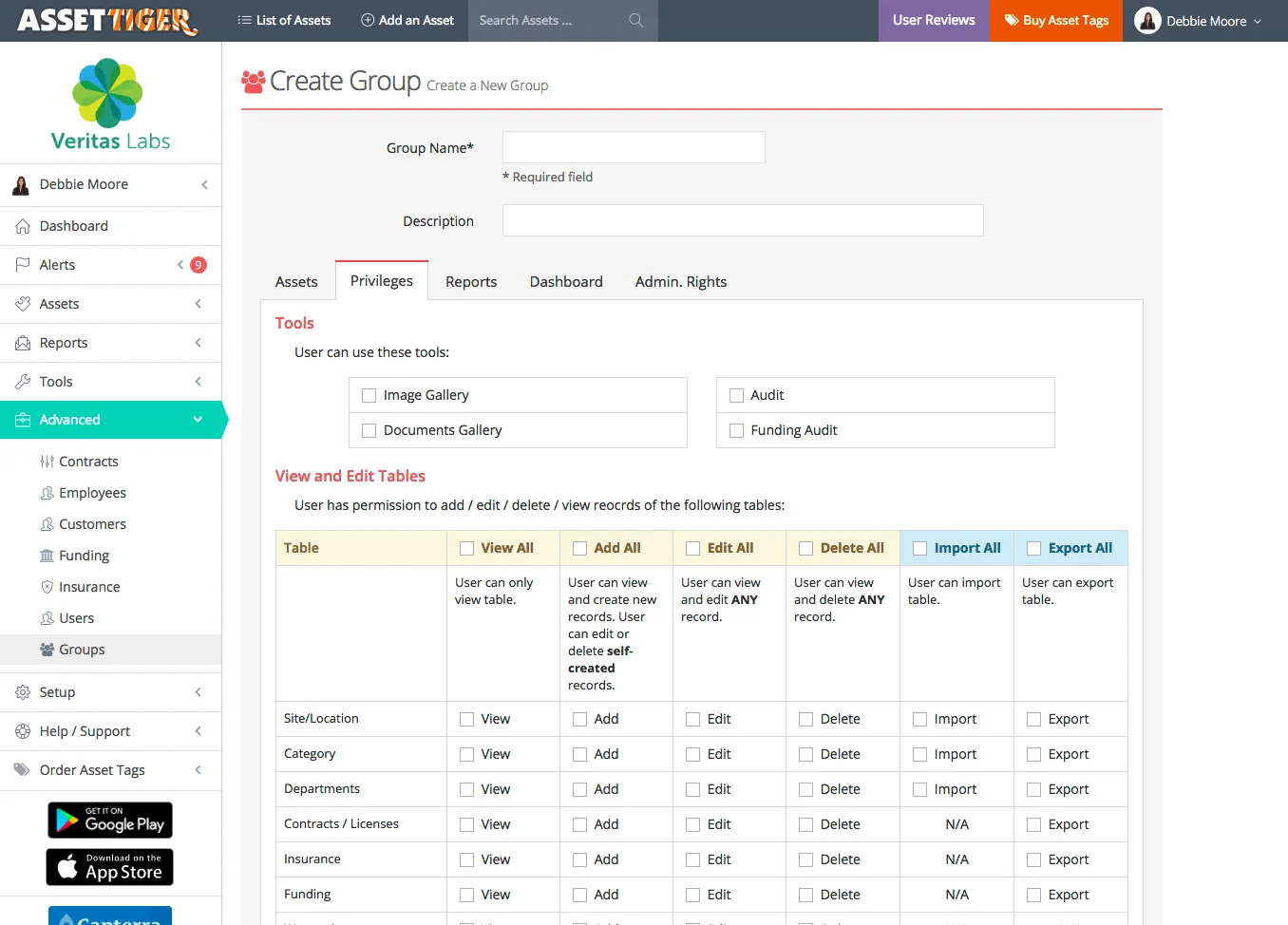
AssetTiger is the best-known free cloud asset tool, with barcode scanning, maintenance scheduling, and customizable reports included at no cost.
Free tier
Yes, a real free product, funded by its parent company's asset tag sales, with paid tiers as your asset count grows.
Pros
- Generous free plan for small organizations
- Easy to use, reliable cloud access
- Barcode scanning included
Cons
- Limited integrations
- Minimal support for free users
- Outgrown quickly by larger organizations
4. Shelf
Best for QR-first teams.
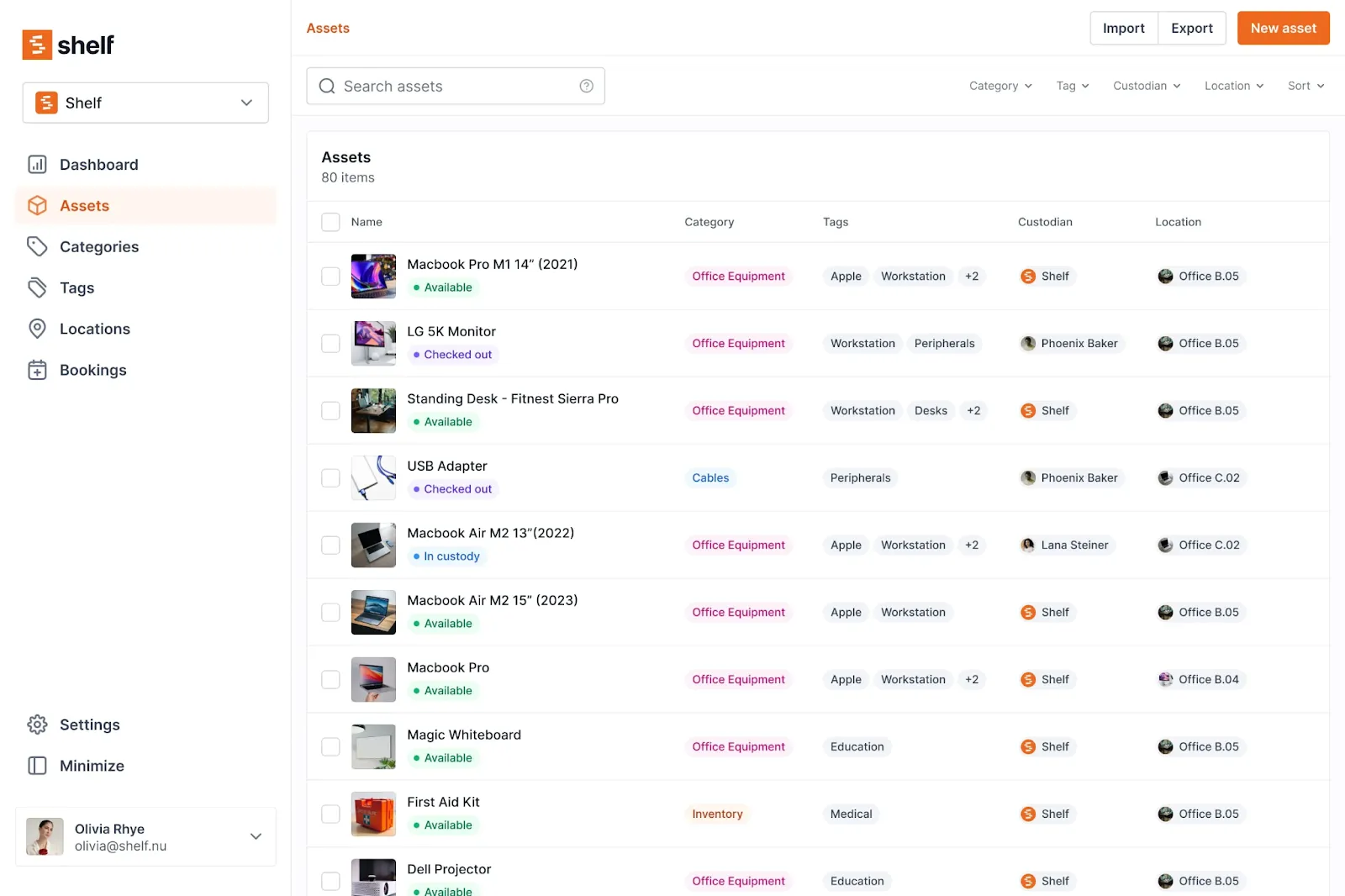
Shelf generates programmable QR code tags for every asset, with location tracking, a built-in QR scanner that works from any device, and AI-powered search across asset records.
Free tier
Yes, with paid tiers for larger needs.
Pros
- Instant QR generation and scanning without extra hardware
- Custody assignment for accountability
- Strong search
Cons
- Setup and customization need technical knowledge
- Limited documentation
5. Timly
Best for GPS plus barcode across industries.
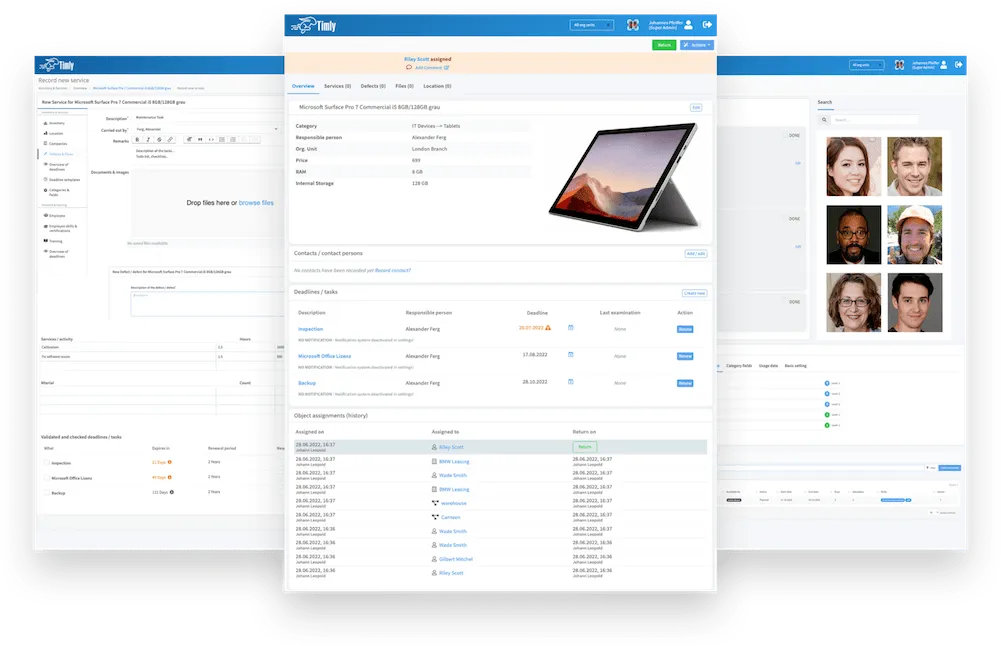
Timly combines barcode tagging with real-time GPS tracking and maintenance reminders, aimed at construction, healthcare, and public administration.
Free tier
No: trial only, no forever-free plan.
Pros
- GPS location history alongside barcode tagging
- Automated maintenance and compliance reminders
- API integrations including DATEV, SAP, and Dynamics 365
Cons
- No free plan
- Steep learning curve for small asset counts
6. Sortly
Best for visual, photo-first records.
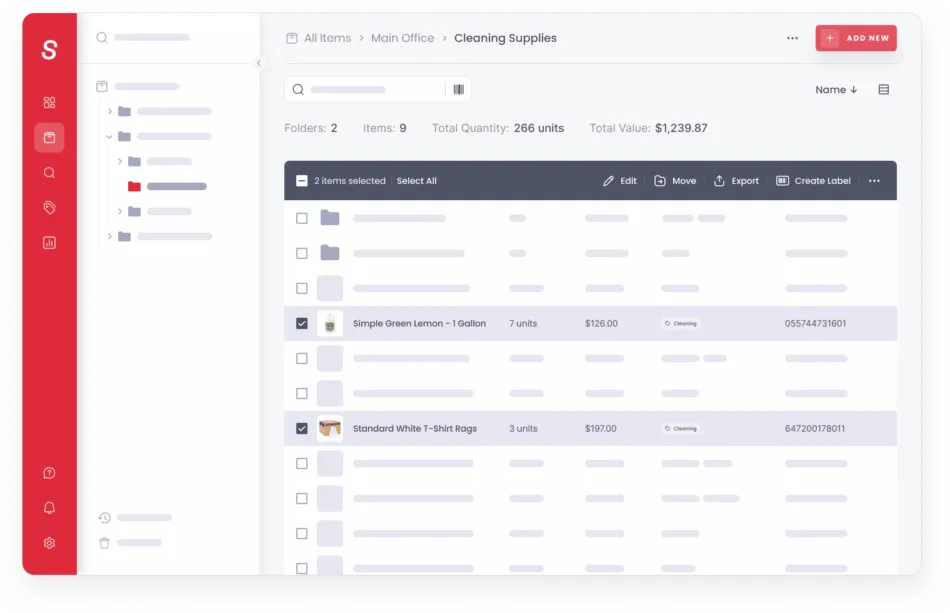
Sortly pairs barcode and QR scanning with photo-based asset records, all managed from a polished mobile app.
Free tier
Yes, but limited, and QR code label creation is reserved for paid plans, which matters in a tagging context.
Pros
- Easiest interface in this list
- Great mobile experience
- Photos attached to every record
Cons
- QR labels not available on the free plan
- Basic reporting on the free version
- Light on IT-specific workflows
7. EZOfficeInventory
Best for feature-deep tagging and maintenance.
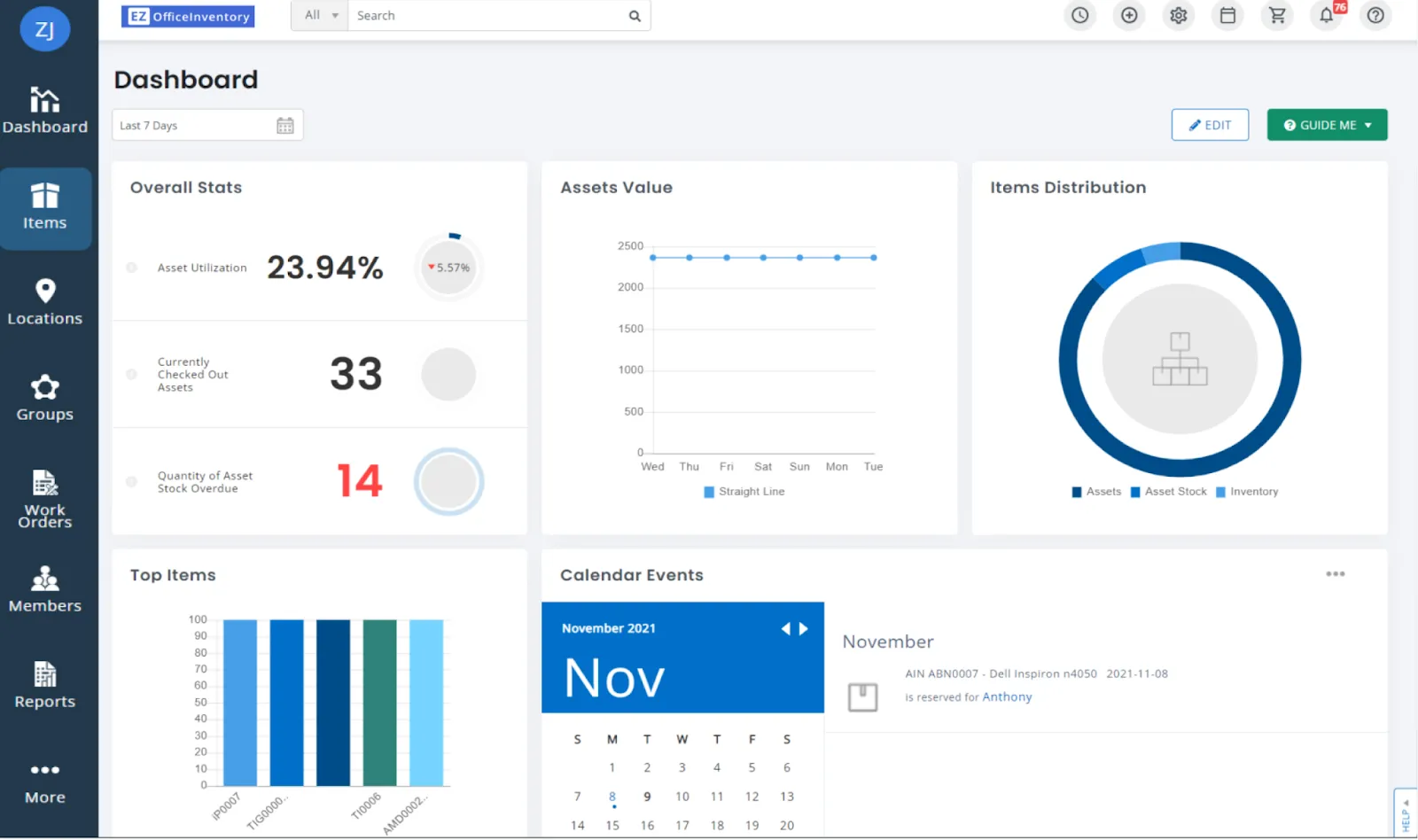
EZOfficeInventory covers barcode, QR, and RFID tagging with maintenance scheduling, audit logs, and custom reports across industries from construction to healthcare.
Free tier
No: 15-day trial, with paid plans from around $40 per month.
Pros
- Broad tag support including RFID
- Detailed audit logs
- Customizable reports
Cons
- No free plan
- Interface can feel intimidating
8. Fracttal One
Best for maintenance-heavy operations.
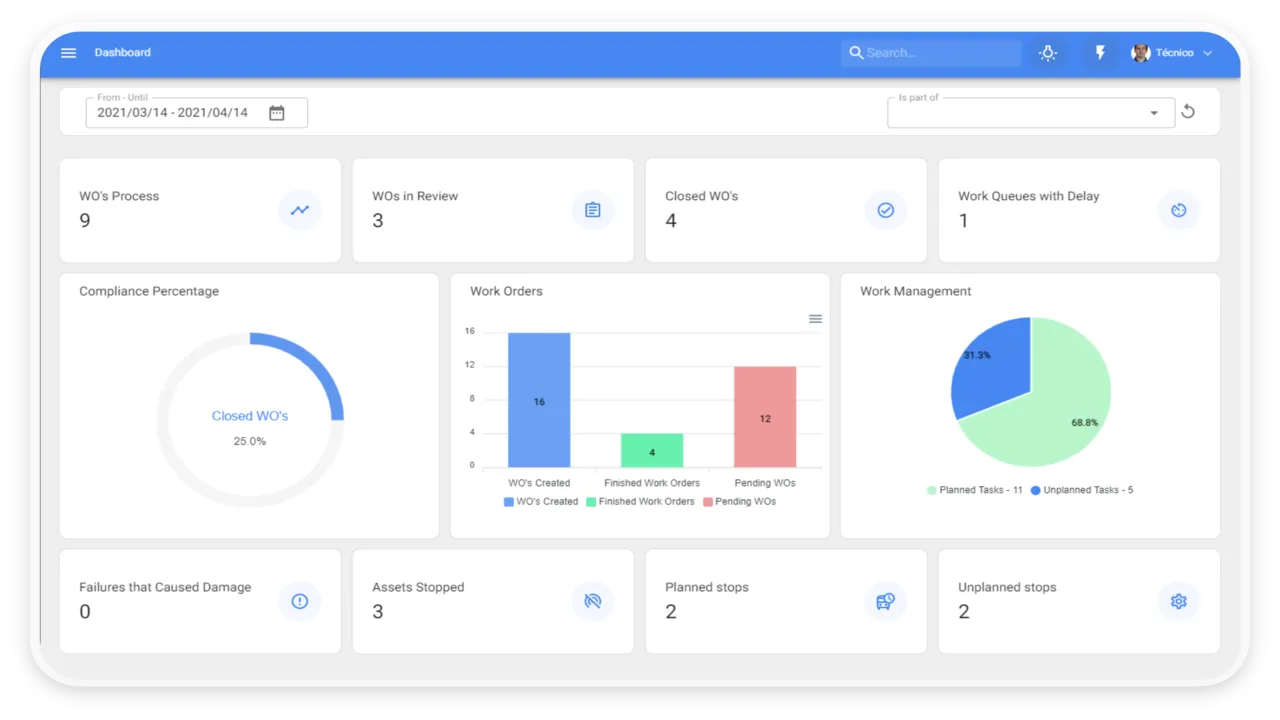
Fracttal One is maintenance-first: asset records with tags feed predictive and preventive maintenance schedules and work orders.
Free tier
No: trial only.
Pros
- Strong preventive maintenance tooling
- Mobile app for field work
- Customizable reports
Cons
- Can lag with large data volumes
- API is one-directional
9. GoCodes
Best for field equipment and fleets.
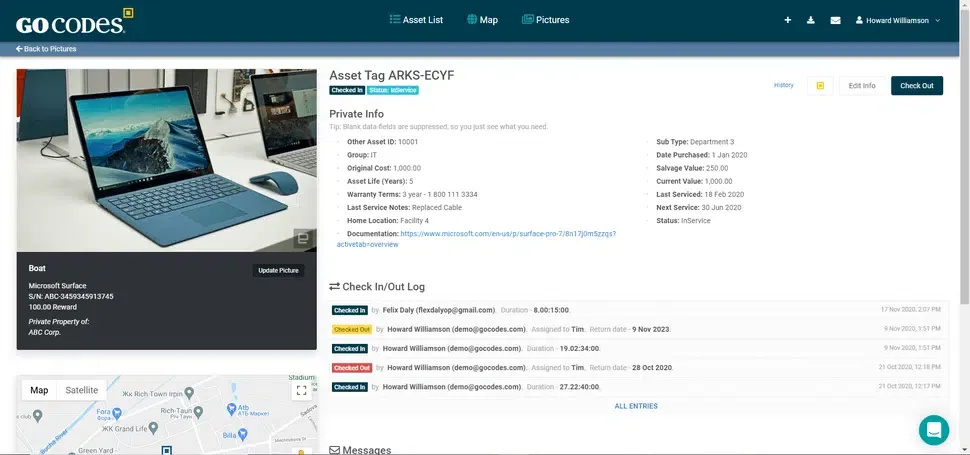
GoCodes ships customizable QR code tags with its software and adds real-time GPS trackers, Bluetooth beacons, and RFID/NFC options for tracking vehicles, tools, and heavy equipment.
Free tier
No: trial only.
Pros
- Flexible tag options: QR, GPS, RFID/NFC
- Simple check-in and check-out
- Real-time location for fleets
Cons
- Fleet and field focus, less suited to office IT
- Lighter enterprise integrations
10. seventhings
Best for sustainability-minded enterprises.
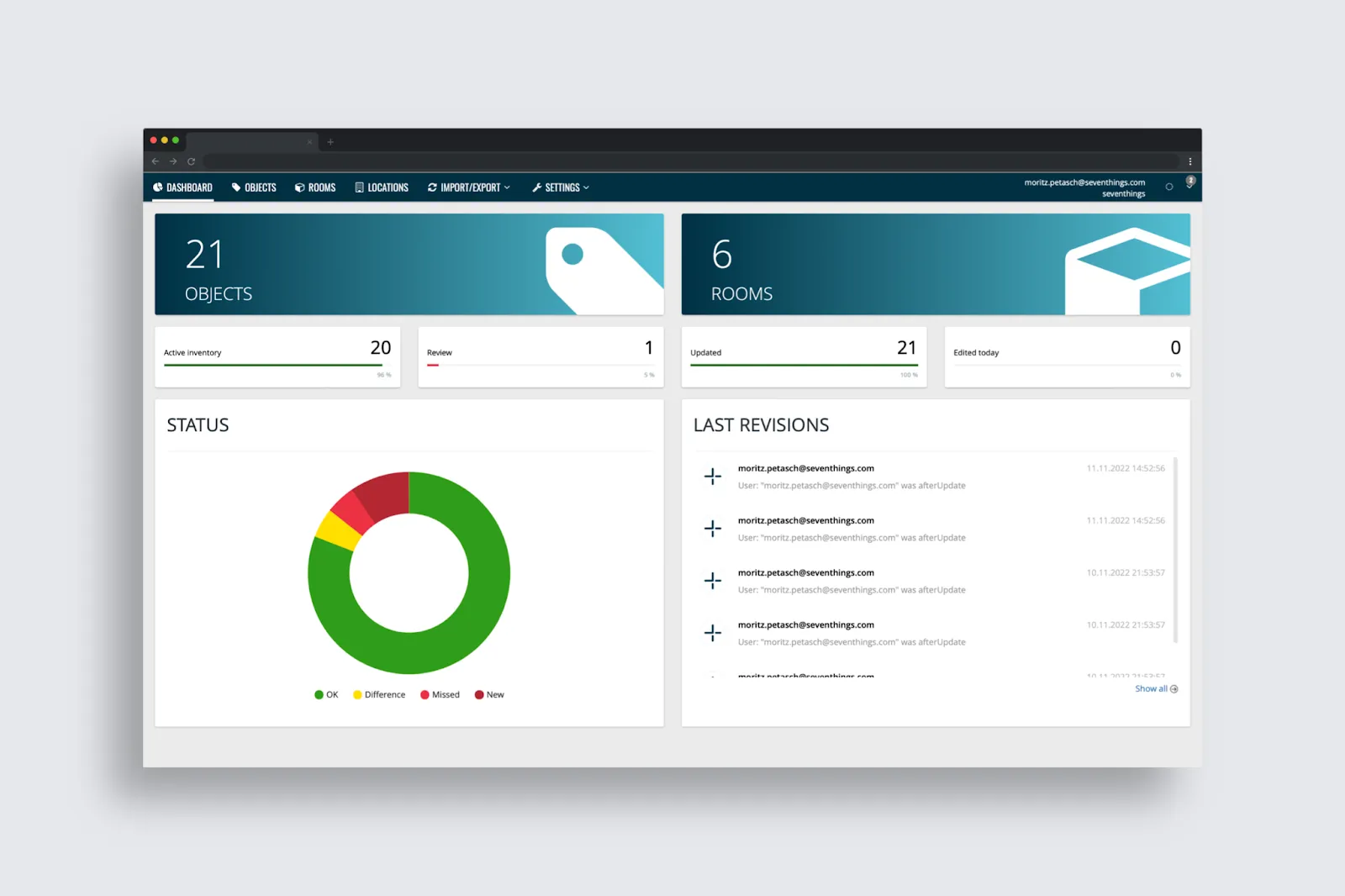
seventhings tracks assets with QR, RFID, and label scanning, and adds a circularity hub for reusing, donating, or selling unused assets toward ESG goals.
Free tier
No: demo and quote-based.
Pros
- Reuse and circularity workflows are unique
- GDPR-compliant, 20+ integrations
- Clean mobile and web apps
Cons
- Complex setup for large organizations
- Digital-first, lighter on physical workflows
11. Reftab
Best for loans and reservations.
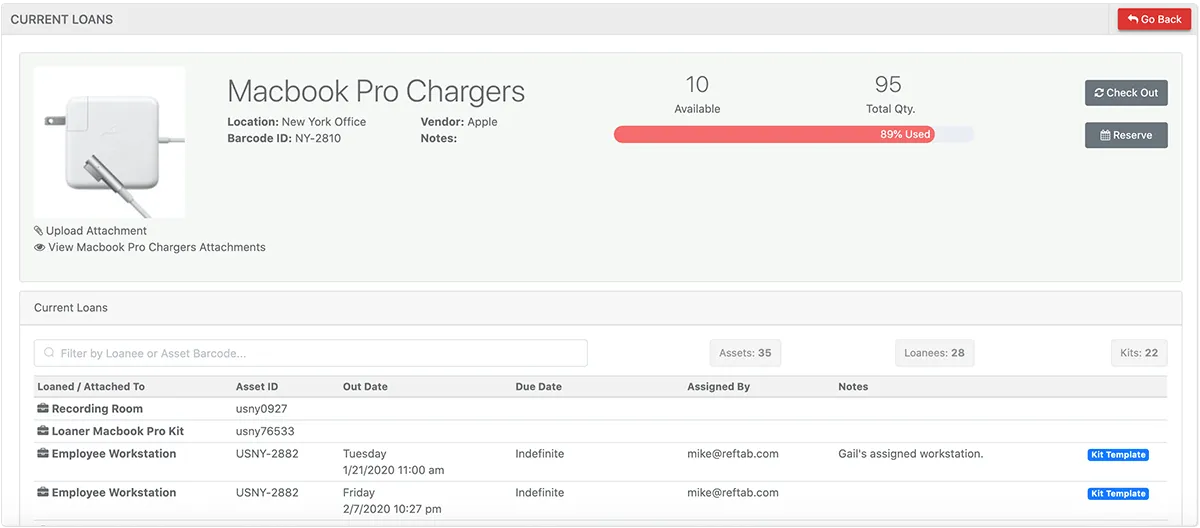
Reftab's mobile app has a built-in barcode scanner for assignments, audits, and maintenance, and its reservation workflow makes it a favorite anywhere equipment gets loaned out.
Free tier
Yes, a genuine free tier, with paid plans stepping up by volume.
Pros
- Loan and reservation workflow is best in class
- Scanner built into the mobile app
- Free tier to start
Cons
- Lighter integrations than IT-focused platforms
- Limited support on the free tier
Barcode, QR, or RFID?
For most teams the answer is simpler than vendors make it sound. Barcodes are the default: cheap to print, scannable by any phone, and supported by every tool here. QR codes hold more data and scan faster from odd angles, useful for equipment that gets scanned in the field. RFID lets you scan many assets at once without line of sight, which is powerful for warehouse-scale audits but requires reader hardware that usually costs more than the software. Start with barcodes or QR on printed labels; graduate to RFID only when audit volume justifies the hardware.
FAQ
What is the best way to label assets?
Scannable barcode or QR labels, applied consistently at intake: tag every asset the day it arrives, before it reaches an employee. Print on a Brother-style label printer or Avery sheets, place tags in the same position on every device type, and record the tag in your system as part of receiving. Consistency at intake is worth more than any particular tag technology.
Can I generate asset tags for free?
Yes. Most tools in this list generate barcodes or QR codes automatically from asset IDs on their free tiers, including BlueTally, Snipe-IT, AssetTiger, and Reftab. Printing runs on standard label printers or Avery templates, so the only real cost is label stock.
Do I need a dedicated asset tag scanner?
Usually not. Smartphone cameras handle barcode and QR scanning in every modern tool here, which is why phone-first scanning was one of our selection criteria. Dedicated handheld scanners earn their keep only at warehouse volumes, and RFID is the one tag type that genuinely requires its own reader.
What is the difference between asset tagging and asset tracking?
Tagging is the physical layer: putting a scannable identity on each asset. Tracking is what the software does with it: assignments, locations, custody history, and audits. For the software side, see our guides to the best asset tracking software overall and the best free IT asset management software.
The Bottom Line
If you want genuinely free tagging today: BlueTally (full product up to 50 assets), Snipe-IT (unlimited, if you host it), AssetTiger, and Reftab are the real free tiers on this list. If you need GPS or RFID for field equipment, Timly and GoCodes are built for it. And if you're an IT team that wants tags to resolve into assignments, condition history, and audits your team actually completes, that's the workflow BlueTally was built around: generate the barcode, print the label, scan with your phone, and know who has what.
Start free with up to 50 assets, no credit card required.
Try it free for 14 days
Try BlueTally free for 14 days — the ITAM platform trusted by top IT teams. No credit card required.


