The 10 Best Asset Tracking Software in 2026 (Free & Paid)
%201600x1067px1x.webp)
Every IT team eventually hits the same wall: the laptop spreadsheet stops matching reality. Devices go missing during offboarding, warranty dates live in someone's head, and audits take a week of chasing people on Slack. Asset tracking software fixes that - and in this guide we compare the 10 best options for 2026, with real pricing, free tiers, and the honest limits of each.
The 10 Best Asset Tracking Software at a Glance
How We Chose (and How You Should)
This list comes from the vantage point of actually building an IT asset management software used by thousands of IT teams worldwide. The five criteria that consistently separate tools people keep from tools people churn out of:
- Pricing model. This is the one most buyers underestimate. Per-asset and per-user pricing feels cheap at 100 assets and punishes you at 1,000. Flat-rate pricing does the opposite. Model your cost at 3x your current asset count before you commit.
- Check-in/check-out workflow. The core loop. If assigning a laptop to a new hire takes more than a few clicks - or can't capture condition photos - your team will quietly go back to the spreadsheet.
- Integrations with your stack. If devices already live in Intune, Jamf, or your identity provider, your asset tool should sync from them automatically instead of making you re-type inventory.
- Audit and compliance support. Scheduled audits, changelogs, and depreciation reports are what turn "tracking" into something your auditors and finance team actually accept.
- Security posture. Asset data is a map of your company's hardware. Look for SOC 2 Type II, SSO, role-based access, and 2FA as table stakes.
1. BlueTally
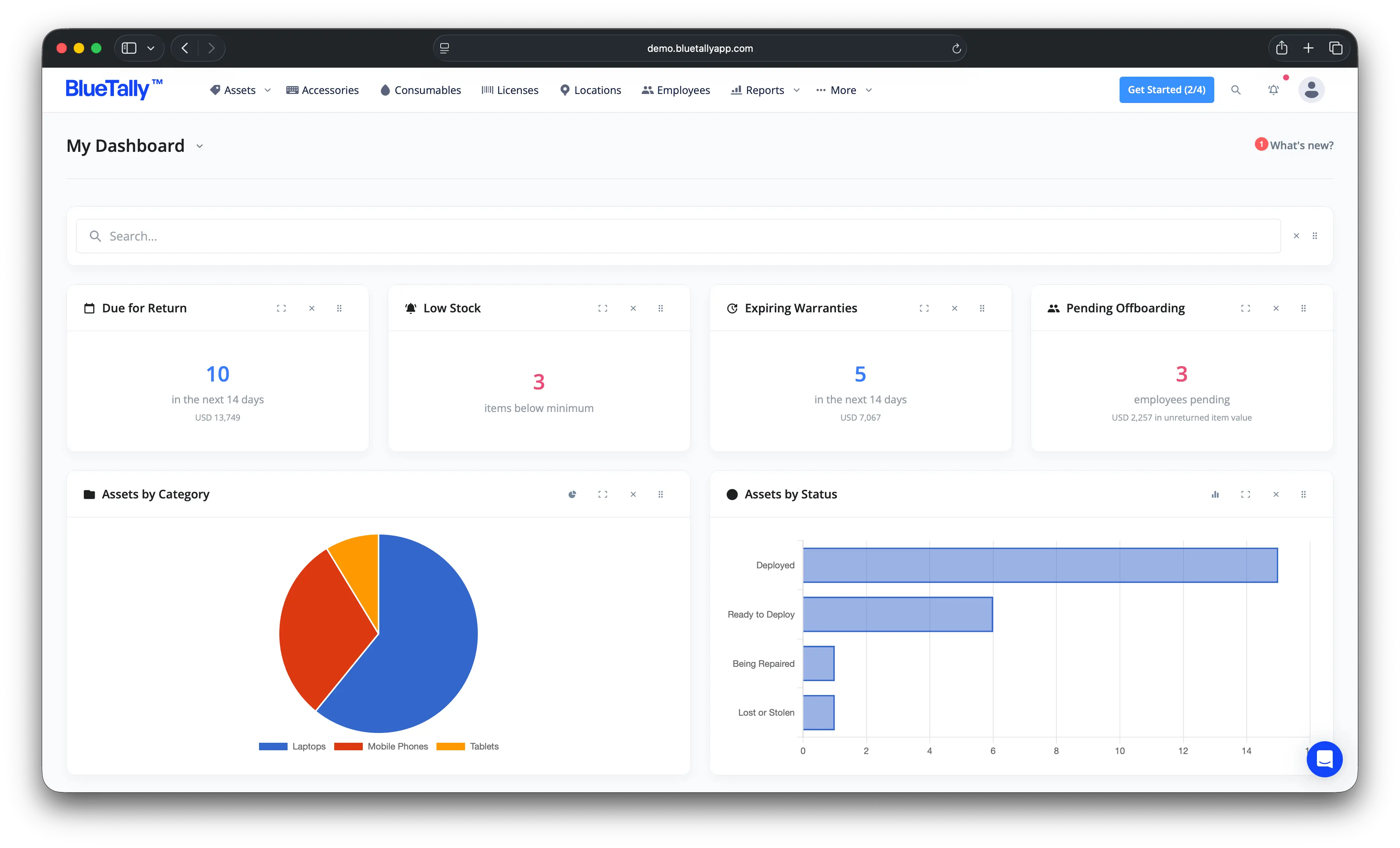
BlueTally is a cloud-based asset tracking platform built for IT teams that want to get off spreadsheets without taking on enterprise-suite complexity - or enterprise-suite pricing games.
Key features
- Assign assets & check-in/check-out: assign to employees or locations with condition notes, photos, and expected return dates; automatic email confirmations to employees.
- Automatic device sync: integrations with Microsoft Intune, Autopilot, Jamf, Iru, Microsoft Entra, Okta, OneLogin, JumpCloud, and Google Workspace add and update devices automatically - no manual inventory entry.
- Audits & maintenance: schedule recurring audits with overdue notifications, and track full maintenance history per asset.
- Barcodes & labels: every asset gets a scannable barcode; print via Brother label printers or Avery templates.
- Warranty lookups: automatic warranty information for Dell and Lenovo devices.
- Depreciation: auto-calculated asset and license depreciation with exportable reports.
- Kits, consumables & licenses: track accessories, consumable stock, and software licenses alongside hardware - new-hire starter kits check out in one action.
- Notifications where you work: Slack and Microsoft Teams alerts for checkouts, audits, and warranty expirations.
- Security: SOC 2 Type II certified, SSO, enforced 2FA, role-based access, 256-bit SSL in transit and AES-256 at rest.
Pricing
BlueTally has a free plan for up to 50 assets - no trial clock, no credit card. Paid plans are flat-rate with unlimited assets and unlimited users: Starter at $299/month, Business at $499/month, and Corporate at $999/month (billed annually - see current pricing). Every paid plan has a free 14-day trial.
That flat rate is a deliberate difference: most tools in this list charge by asset count or user seat, which means your bill grows every time your company does. With BlueTally, tracking 500 assets costs the same as tracking 50,000.
Pros
- Flat-rate pricing - cost doesn't grow with your asset count
- Free plan to start; upgrade only when you outgrow 50 assets
- Device sync from Intune, Jamf, and identity providers eliminates manual entry
- Fast setup with an interface employees don't need training for
- SOC 2 Type II certified
Cons
- Free plan caps at 50 assets
- Built for IT and office equipment - not a fit for GPS fleet or vehicle tracking
2. AssetTiger
AssetTiger is the best-known genuinely free asset tracking tool, funded by its parent company's asset-tag business.
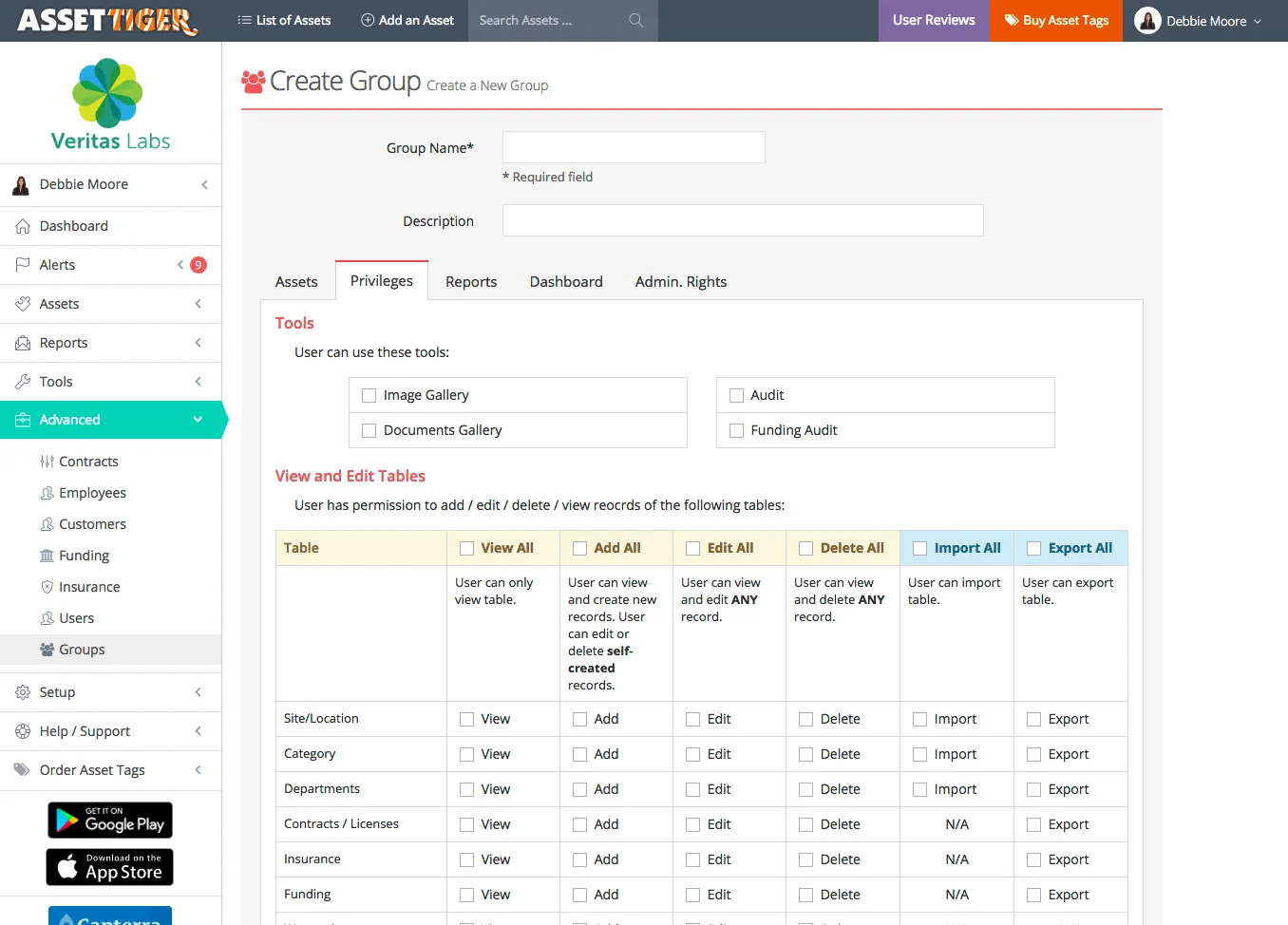
Key features: asset records with photos and documents, check-in/check-out, maintenance scheduling, mobile barcode scanning, custom reports.
Pricing: free for core use, with paid tiers as your asset count grows.
Pros
- Genuinely free to start - a real product, not a stripped demo
- Unlimited users with custom reports
- Mobile scanning included
Cons
- Check-in/check-out workflow is cumbersome compared to paid tools
- No automatic device sync - inventory is manual entry
- Limited advanced reporting; support is minimal at free tier
3. Snipe-IT
Snipe-IT is the open-source standard for IT asset tracking. If you have a server, Docker experience, and time, it's free forever.
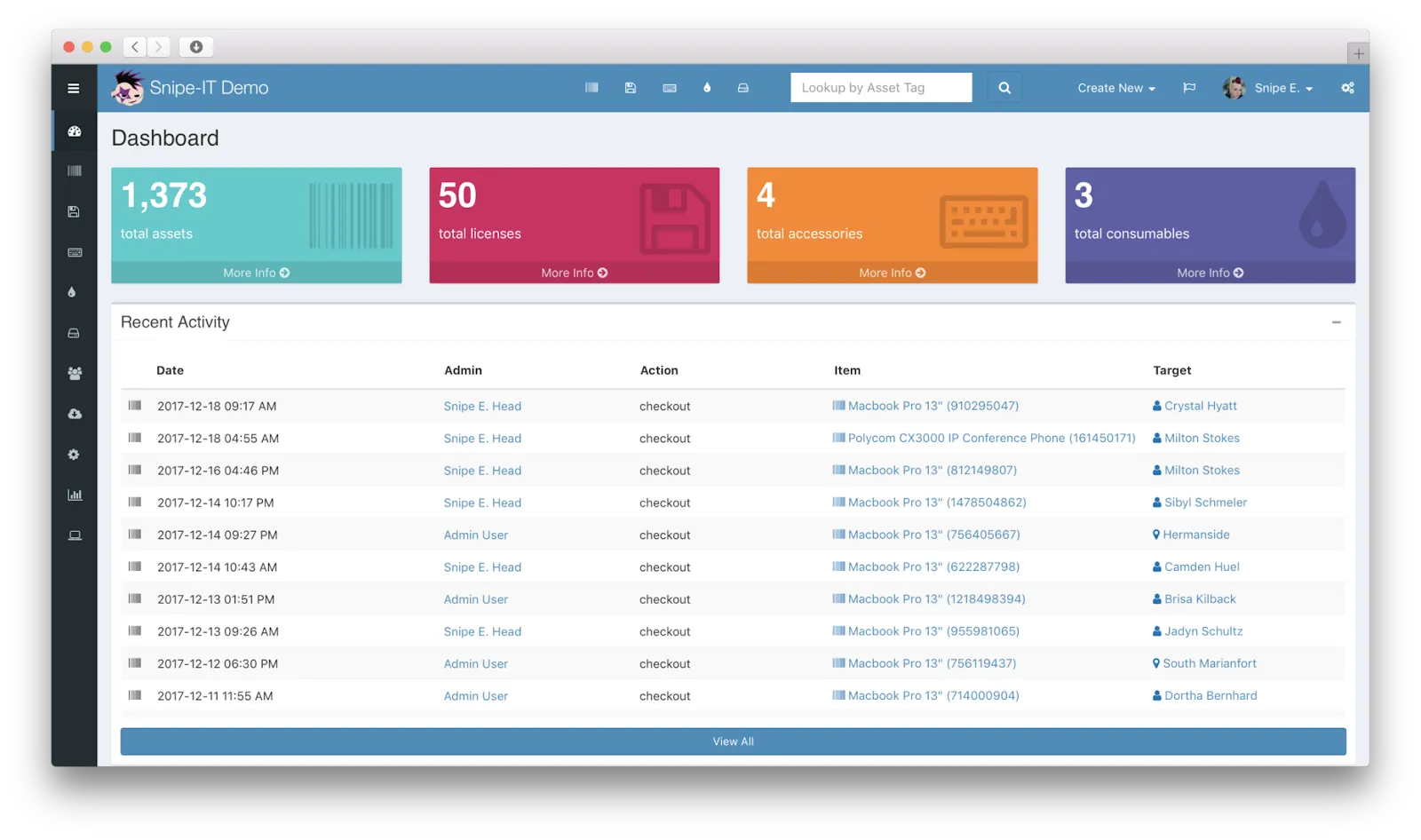
Key features: asset status/location/history tracking, check-in/check-out, custom fields, software license management, robust reporting, a large community.
Pricing: free and open source self-hosted; paid cloud hosting available if you'd rather not run it yourself.
Pros
- Free, open source, no asset limits
- Full control over your data and hosting
- Active community and steady development
Cons
- You are the sysadmin: setup, upgrades, backups, and uptime are on you
- Interface is functional but dated
- Total cost of ownership is your time - often more than a subscription
4. GLPI
GLPI (Gestionnaire Libre de Parc Informatique) is a heavyweight open-source platform that combines IT asset management with a full helpdesk - popular with teams that want both without license fees.
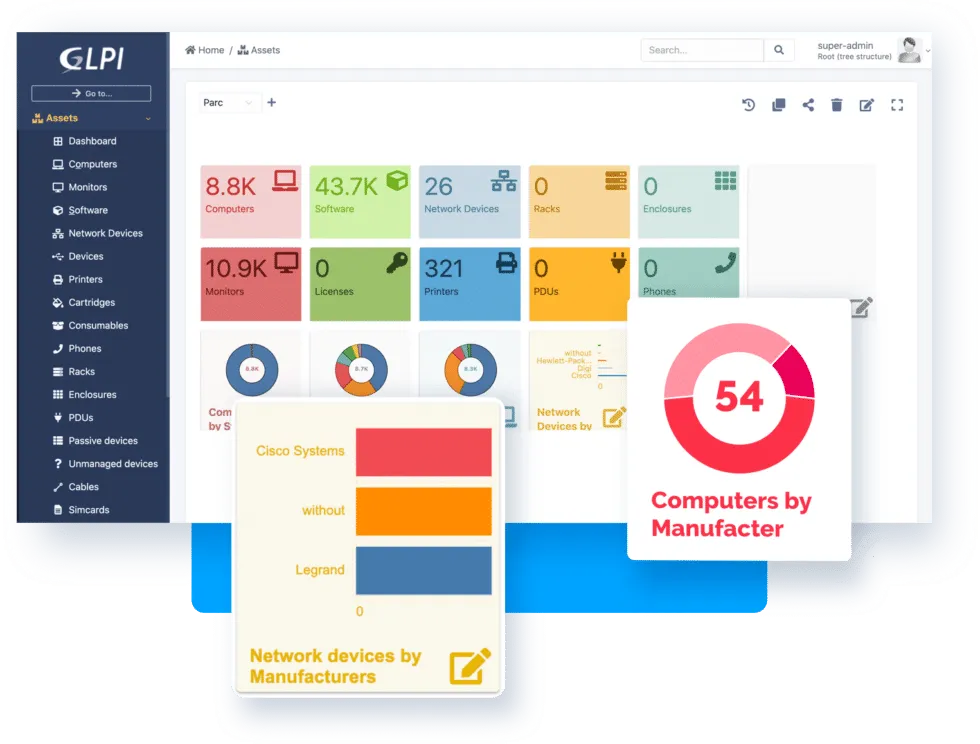
Key features: comprehensive IT asset inventory for hardware, software, and peripherals; ticketing and service management; configuration management; software license compliance; a large plugin ecosystem; ITIL-aligned workflows.
Pricing: free and open source self-hosted; a paid cloud edition is available if you'd rather not run it yourself.
Pros
- Free, open source, and unusually feature-deep - ITAM and helpdesk in one
- Highly customizable with plugins
- Strong community support and ITIL alignment
Cons
- Clunky, dated interface with a real learning curve
- Self-hosting demands server resources and ongoing maintenance
- Documentation and translations are incomplete in places
5. Reftab
Reftab is a streamlined asset tracker with a strong loan-management angle, which has made it a favorite in schools and equipment-lending teams.
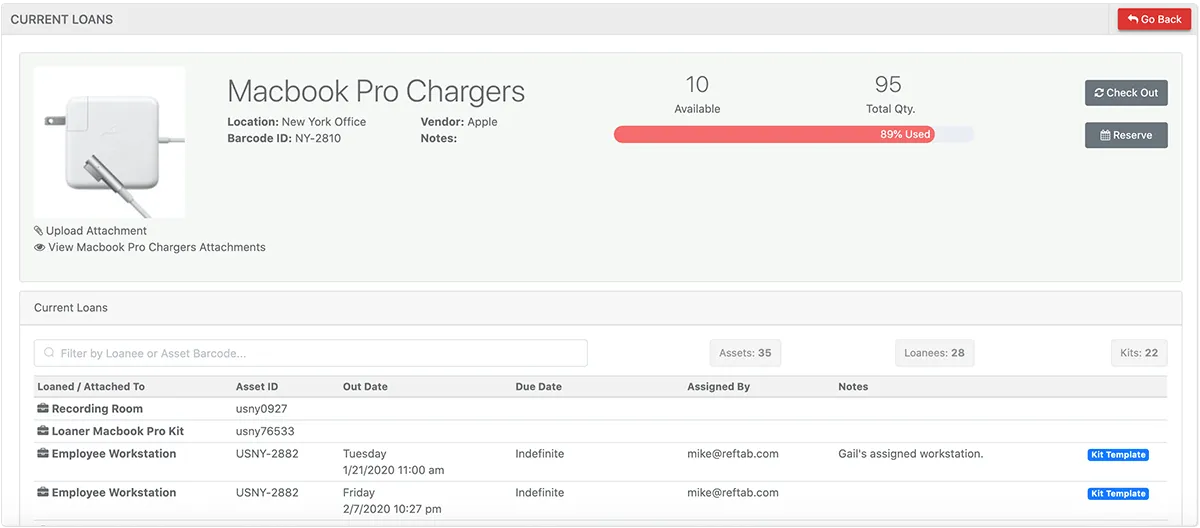
Key features: asset tracking with QR/barcode scanning, equipment loans with automated return reminders, maintenance schedules, custom reporting, solid mobile app.
Pricing: free tier for small setups; paid tiers step up by asset volume and features.
Pros
- Loan/reservation workflow is best-in-class for education
- Approachable pricing with a free tier
- Clean, modern interface
Cons
- Lighter integration ecosystem than IT-focused platforms
- Location data management can get fiddly at scale
6. Sortly
Sortly is a visual-first inventory and asset tracker popular with teams that think in photos and folders rather than device records.
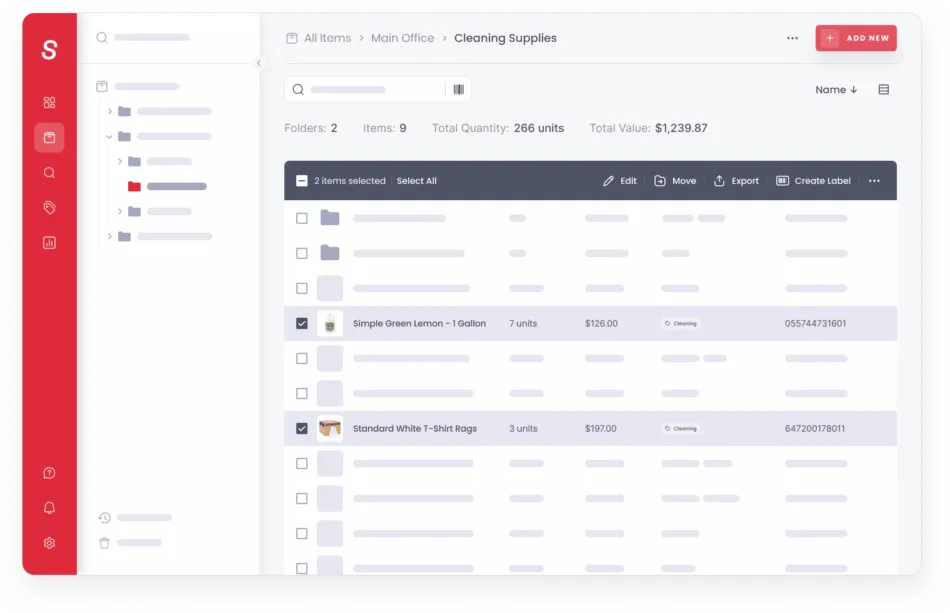
Key features: photo-based visual inventory, custom tags and folders, QR/barcode scanning, activity logs, polished mobile apps that sync with desktop.
Pricing: free plan with limited entries; paid plans from roughly $49/month, with entry limits and features stepping up by tier.
Pros
- The easiest interface on this list - near-zero training
- Excellent mobile experience
- Good fit for supplies and mixed inventory, not just devices
Cons
- Entry limits on every tier - you pay to grow
- Light on IT-specific features: no device sync, limited integrations
- Built more for inventory counts than employee asset assignment
7. AssetFrog
AssetFrog is a newer, deliberately simple asset tracker aimed at small and mid-sized businesses that want the basics done well without platform overhead.
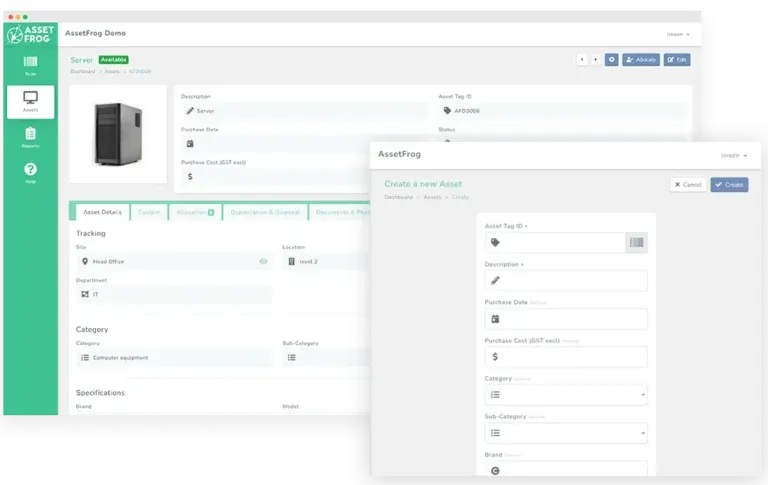
Key features: straightforward asset records with bulk editing, maintenance and warranty expiration alerts, depreciation calculation, document storage attached to assets, unlimited users.
Pricing: free plan available; paid tiers step up by asset volume and features.
Pros
- Unlimited users on all plans
- Contract and license management included
- Solid depreciation scheduling for a simple tool
- Unlimited cloud storage for asset documents
Cons
- Limited documentation and a small ecosystem
- Not built for advanced needs - no device sync or deep integrations
8. Zebra Medical Asset Tracking
Zebra's medical asset tracking is a healthcare-specific solution pairing software with RFID hardware to locate equipment, monitor conditions, and reduce loss in clinical environments.
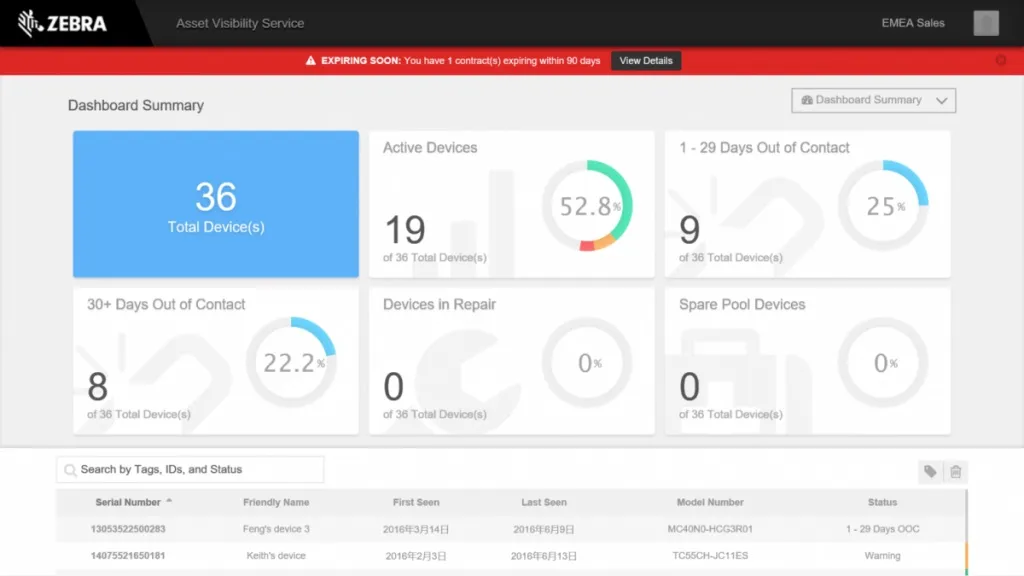
Key features: real-time location tracking of medical equipment, temperature monitoring for sensitive items, RFID tags and readers, maintenance scheduling aligned with healthcare compliance.
Pricing: quote-based, and budgets should include the RFID hardware deployment.
Pros
- Purpose-built for hospitals and clinics
- Real-time location and temperature monitoring
- Reliable RFID and barcode scanning at industrial grade
Cons
- Healthcare-first - rarely the right fit for general IT or office assets
- RFID hardware and setup carry significant cost
9. Atera
Atera is an all-in-one remote monitoring and management (RMM) platform for MSPs and IT departments. Asset tracking is part of a much larger IT-management package rather than the product itself.
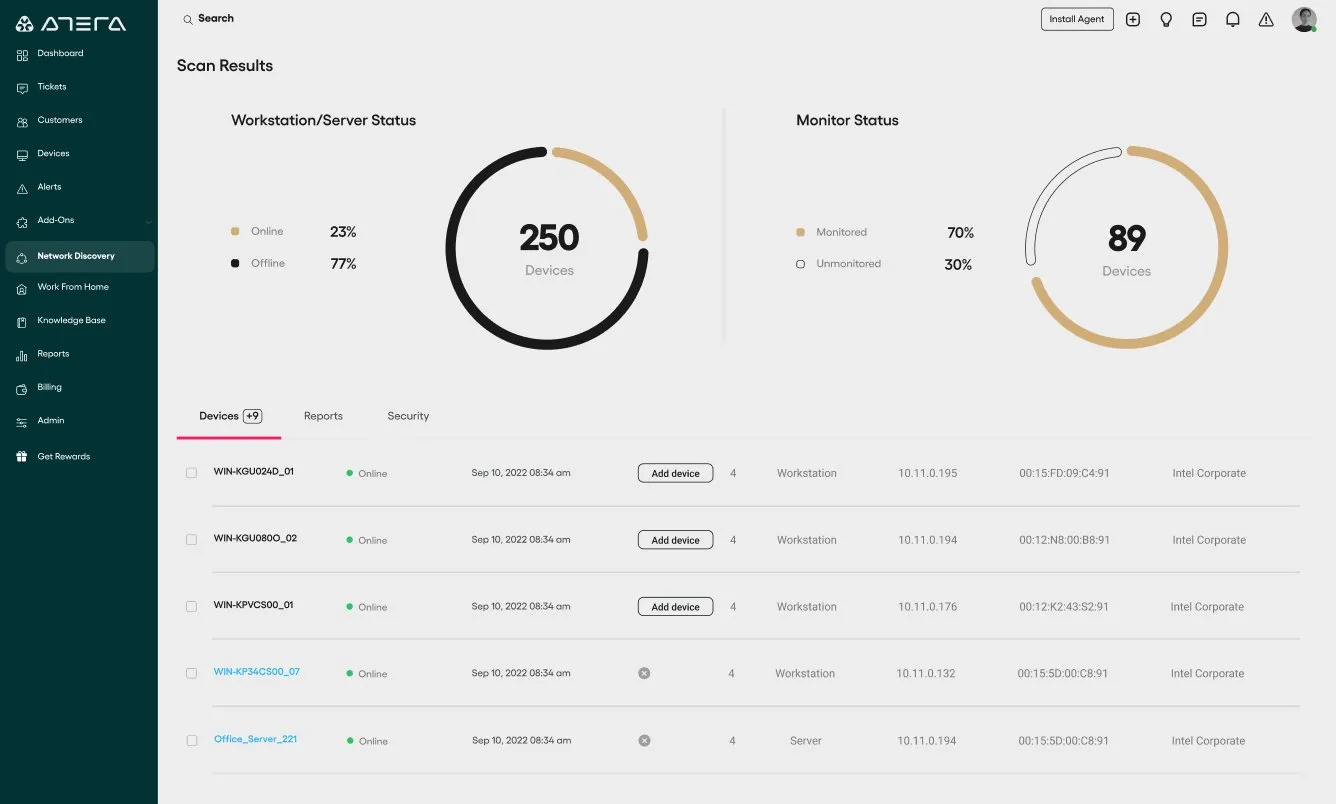
Key features: real-time endpoint monitoring and inventory, automation for patching and maintenance, built-in ticketing and helpdesk, remote access, reporting across the IT environment.
Pricing: per technician, per month - unlimited devices per technician, which is attractive for MSPs managing many endpoints with a small team. Trial available.
Pros
- RMM, ticketing, and asset inventory in one platform
- Per-technician pricing scales well for MSPs
- Cloud-based with fast setup
Cons
- It's an RMM first - checkout workflows, accessories, and physical asset assignment are not its focus
- Overkill if all you need is asset tracking
- Agent-based: tracks managed endpoints, not monitors, chairs, or peripherals
10. InvGate Asset Management
InvGate Asset Management is the ITAM half of InvGate's service-management suite - the pick if you want asset tracking and a help desk from the same vendor.
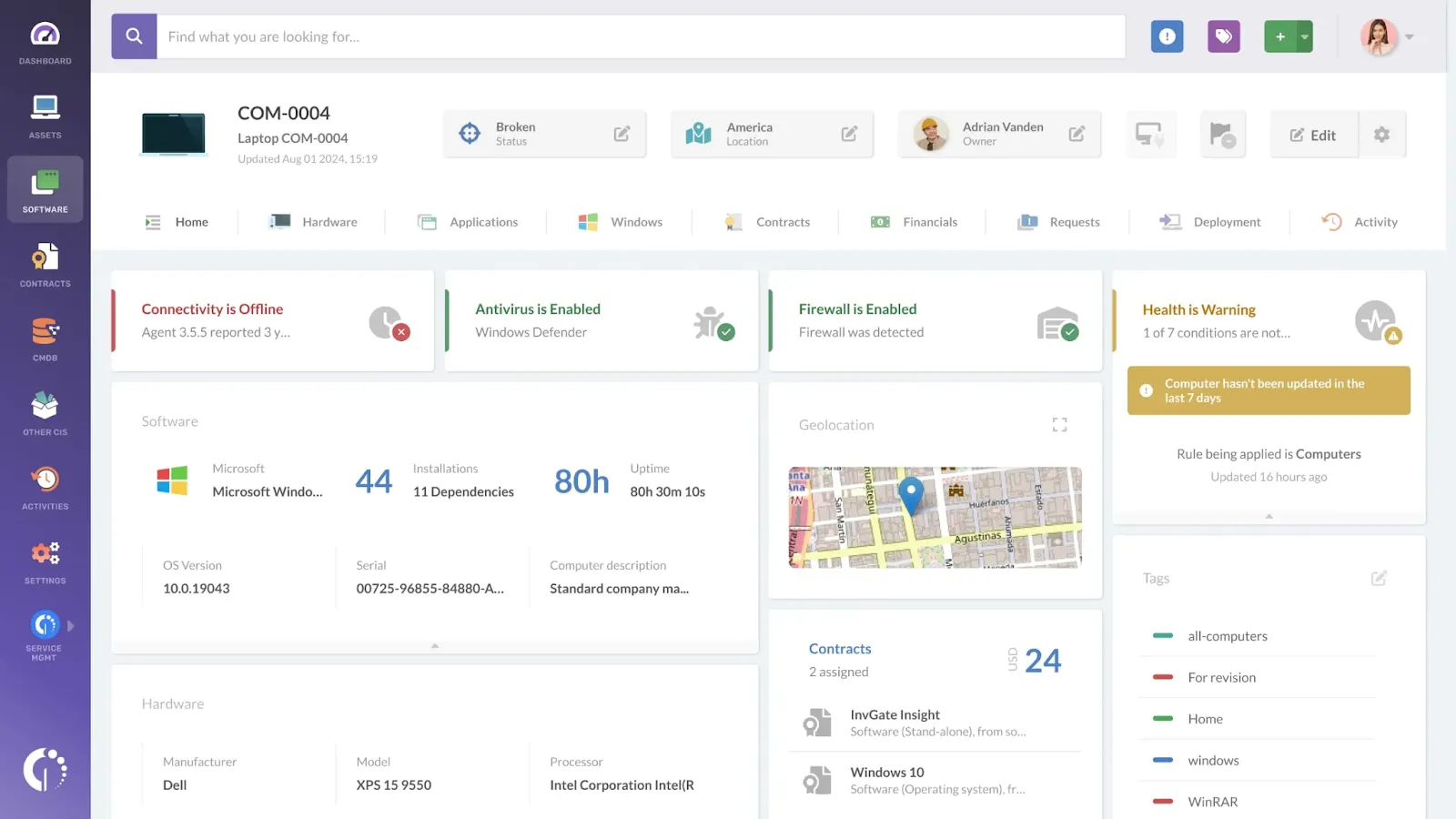
Key features: automatic network discovery of hardware and software, lifecycle and contract management, software license compliance, deep reporting, tight pairing with InvGate's service desk.
Pricing: custom quote; trial available.
Pros
- Network discovery keeps inventory current automatically
- Strong license-compliance tooling
- Natural fit if you also need ITSM
Cons
- Sized and priced for larger organizations
- More platform than most SMB teams need for tracking alone
- No public pricing
Want Genuinely Free? Here's the Honest Picture
Four tools on this list can be used at zero cost: AssetTiger (free hosted tier), Snipe-IT and GLPI (free if you self-host), and BlueTally's free plan (up to 50 assets).
The honest pattern with free tools: they work until they don't. AssetTiger's manual entry becomes a tax once devices number in the hundreds; Snipe-IT and GLPI trade subscription fees for sysadmin hours and upgrade risk; and any capped free plan (including ours) eventually meets a growing company. We compare every genuinely free option in depth in our guide to the best free IT asset management software. Free is a great way to start tracking today - just pick a tool whose paid path you'd actually be happy on, so growth is an upgrade instead of a migration.
Tracking Serial Numbers
Half of asset tracking in practice is serial number tracking: which exact device, with which serial, is in whose hands. Whatever tool you pick, make sure it treats serials as first-class data - searchable, scannable, and attached to a full custody history. In BlueTally, every asset stores its serial number alongside its barcode, checkout log, and changelog, so answering "who has SN C02XK1..." takes one search instead of an email thread. Device syncs from Intune or Jamf pull serials in automatically, which also kills the typo problem that plagues hand-entered serial databases.
FAQ
How much does asset tracking software cost?
Real numbers: free tiers exist (AssetTiger, Snipe-IT and GLPI self-hosted, BlueTally up to 50 assets); simple paid tools run roughly $30-$150/month; per-asset platforms scale with your inventory and usually require a quote; BlueTally's flat-rate plans run $299-$999/month with unlimited assets and users. The number to watch isn't the starting price - it's what your bill looks like when your asset count triples.
Is AssetTiger really free?
Yes - its free tier is a real product, subsidized by its parent company's asset-tag sales, with paid tiers as your asset count grows. The trade-offs are manual inventory entry, a clunkier checkout flow, and minimal support.
Does Microsoft have an asset tracking tool?
Not really. Microsoft Intune manages device configuration and security, but it isn't asset tracking - it won't handle assignment history, accessories, audits, warranties, or non-Microsoft assets. The common setup is Intune for device management plus an asset platform synced to it; that's exactly what BlueTally's Intune integration does.
What about tracking fixed assets for accounting?
If your primary need is depreciation schedules and audit-ready registers for finance, you want dedicated fixed asset accounting software like Sage Fixed Assets rather than a tracking platform. Tools in that category are built for GAAP and tax depreciation methods; asset tracking software (including BlueTally) handles the physical side, with straight-line depreciation for basic reporting.
What's the best way to label assets?
Scannable barcode or QR labels, applied consistently at intake. Our guide to asset tagging covers label types, printers, and workflows.
The Bottom Line
If you're a school lending equipment, look at Reftab. If you have a spare server and enjoy running one, Snipe-IT or GLPI will treat you well. If you're an MSP, Atera's per-technician model makes sense. And if you're an IT team that wants devices synced automatically, checkouts your employees actually complete, and a bill that stays flat while your company grows - that's the exact gap we built our IT asset management software to fill.
Start free with up to 50 assets, or take any paid plan on a 14-day trial - no credit card either way. See plans and pricing.
Try it free for 14 days
Try BlueTally free for 14 days — the ITAM platform trusted by top IT teams. No credit card required.


