IT Asset Lifecycle Management: Stages, Controls, and Mid-Market Playbook
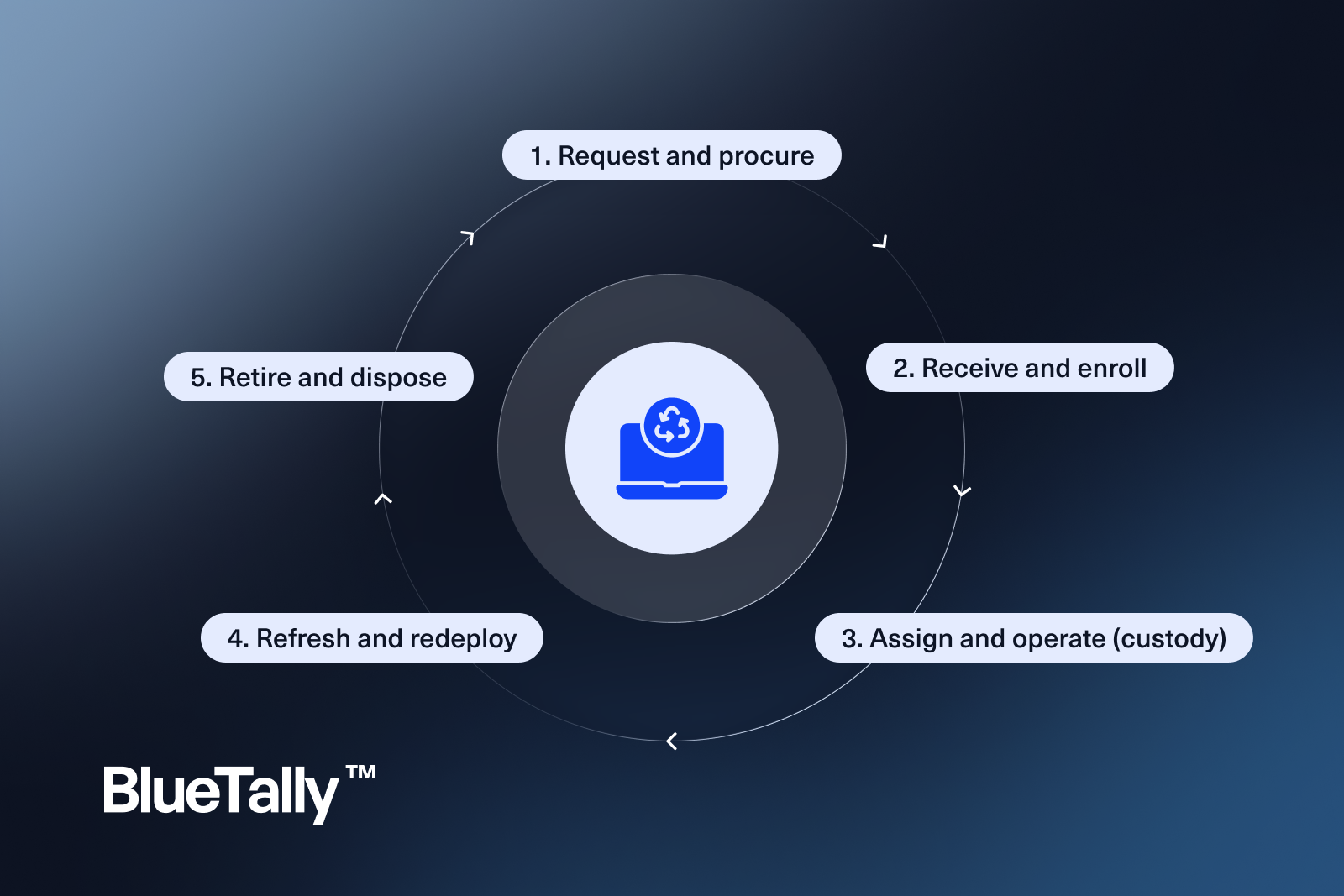
IT asset lifecycle management is how growing IT teams keep hardware and related software entitlements under control from purchase through retirement—without treating spreadsheets as a strategy. This guide is for IT managers and directors (especially sub-500) who need a practical lifecycle model: custody, refresh, and disposal readiness alongside MDM—not instead of it.
Below we explain each stage clearly, then show the controls that make that stage auditable.
Why lifecycle beats “inventory as a snapshot”
A static inventory answers “what do we think we own today?” Lifecycle management answers:
- What stage is each asset in?
- Who is accountable right now?
- When should we refresh or reclaim?
- What evidence exists when we dispose?
If you only update a list when something breaks, you will overbuy, under-reclaim, and fail simple audit questions.
The five stages mid-market IT actually runs
Enterprise frameworks sometimes list six or seven stages. For most teams under 500 employees, these five are enough—and easier to operationalize.
1. Request and procure
Capture business justification, approved model, cost center, and expected user or pool. Prefer a short catalog of standard builds so refresh and support stay sane.
Control: no purchase order without a planned inventory record (or intake ticket that creates one).
2. Receive and enroll
Record serial, asset tag, warranty dates, and purchase metadata. Enroll in Intune, Jamf, or your MDM of record. Link the MDM device identity to the inventory record.
Control: devices do not leave IT stock until both MDM enrollment and inventory assignment rules are satisfied (or explicitly waived for kiosk/lab exceptions).
3. Assign and operate (custody)
This is where most programs fail. Discovery tools and MDM show devices that exist; they rarely answer who has what with a clean custody history.
Assignment, transfer, loaner checkout, and repair status changes belong in the inventory system of record. MDM remains the source for compliance, encryption, and reachability.
BlueTally is built as that custody layer—an MDM complement that tracks who-has-what across the operating stage, with License Intelligence when seats should move with people and devices.
4. Refresh and redeploy
Use age, warranty, repair history, and model standards—not anecdotes—to plan refresh waves. Wipe and redeploy with the same rigor as first assignment.
Control: refresh candidates come from reports (warranty window, age bands, broken-status duration), not Slack memory.
5. Retire and dispose
Decommission is a controlled exit: revoke access, reclaim licenses, wipe or destroy media, update inventory status, and keep certificates or chain-of-custody notes when a vendor handles ITAD.
(See a dedicated disposal-process playbook if you need step-level disposal detail—lifecycle management still owns the decision to enter that process.)
Lifecycle KPIs worth putting on a dashboard
- % of active assets with a named assignee (or explicit pool)
- Average days from purchase to first assignment
- Average days from employee exit to device reclaim
- Assets past warranty without a refresh plan
- Assets in “unknown owner” longer than 7 days
- Seats reclaimed in the last 30/90 days (license side of lifecycle)
Common failure modes
MDM-as-inventory. Intune or Jamf lists enrolled endpoints. They do not replace custody, stockrooms, or disposal evidence.
Spreadsheet stages. Status columns drift. Two people update different files. Auditors ask for history you cannot produce.
Refresh without standards. Every manager buys a different laptop SKU. Support cost and spare parts explode.
Disposal without reclaim. Hardware leaves; SaaS seats and local admin rights remain.
Lifecycle without owners. “IT owns assets” is not an assignee. Name a person or a documented pool.
How lifecycle management complements (and differs from) HAM lists
Hardware asset management software conversations often focus on tool categories. Lifecycle management is the operating model those tools should support: stage transitions, evidence, and planning. You can win a feature comparison and still fail lifecycle if nobody updates status when a laptop moves desks.
A 30-day standup plan
Week 1: Define stages and allowed status values. Map them to your inventory fields.
Week 2: Fix intake—serial, tag, warranty, MDM link—for every new device.
Week 3: Clear unknown owners. Treat unresolved custody as an incident.
Week 4: Build one refresh report and one offboarding reclaim report. Schedule them monthly.
Tools help, but the first win is making stage changes mandatory in the workflow people already use for tickets and HR exits.
Buying criteria if you evaluate software next
When lifecycle guides turn into software evaluation, prefer platforms that:
- Track custody and stage history (not only discovery)
- Sync with MDM without pretending to replace it
- Support offboarding reclaim for devices and related licenses
- Export evidence for audits without a consulting project
- Fit mid-market admin time—not enterprise ITAM bloat
Soft fit note: if your pain is “we cannot answer who has the laptop,” prioritize custody and lifecycle status over CMDB depth. To see how specific tools score on these criteria, read our comparison of the best IT asset management software.
FAQ
Is IT asset lifecycle management the same as ITAM?
ITAM is the broader discipline. Lifecycle management is the stage-based operating model inside ITAM—especially for hardware and the licenses tied to people and devices.
Do we need a CMDB first?
No. Most sub-500 teams should master custody and lifecycle status before investing in configuration-item graphs. CMDB helps service mapping; it does not automatically solve who-has-what.
Where does software licensing fit?
Licenses follow identities and sometimes devices. Treat seat reclaim as a lifecycle event at assignment changes and offboarding—not a once-a-year spreadsheet exercise.
Bottom line
IT asset lifecycle management succeeds when every asset has a stage, an owner, and a next action—and when MDM, inventory, and license reclaim work as a system. Start with five stages, instrument the handoffs, and only then optimize tooling.
Roles and RACI that keep lifecycle alive
Lifecycle fails when “IT” is the only named owner. Use a light RACI:
- Requester (business): justifies purchase; accepts cost center.
- IT operations: intake, tagging, enrollment, assignment updates.
- Assignee: cares for the device; reports loss/damage promptly.
- Manager / HR: triggers offboarding so reclaim starts on time.
- Security: sets wipe and encryption expectations for disposal.
- Finance: uses warranty/refresh reports for budgeting.
Publish this on an internal wiki. When something stalls, you will know who to ping.
Sample status model (copy/adapt)
Keep statuses mutually exclusive:
- Ordered
- In stock
- Assigned
- Loaner / checked out
- In repair
- In transit
- Pending wipe
- Retired / disposed
- Lost / stolen
Avoid catch-alls. If you need “exception,” pair it with an owner and a due date.
Integrating HR and ticketing
The highest-ROI integrations for lifecycle are not exotic:
- New hire ticket creates or reserves an assignment.
- Exit ticket lists devices and licenses to reclaim.
- MDM sync updates last-seen and compliance flags into the inventory record.
- Monthly report of unknown owners goes to IT leadership.
You do not need a perfect enterprise bus. You need reliable triggers.
Lifecycle and License Intelligence
Hardware lifecycle without license reclaim leaves money on the table. When a laptop returns:
- Confirm wipe/enrollment state
- Remove local and cloud access
- Reclaim SaaS seats tied to that identity
- Update inventory status so stock reflects reality
Teams that only track serials still overpay for Ghost employees in admin consoles.
Closing checklist for leaders
- [ ] Stages defined and used in the system of record
- [ ] MDM linked but not treated as inventory
- [ ] Unknown-owner SLA exists
- [ ] Refresh report scheduled
- [ ] Disposal evidence required before status = disposed
- [ ] Offboarding always includes device + seat reclaim
If most boxes are unchecked, fix process before expanding catalog scope to monitors, accessories, and niche gear.
If you want custody stages without a heavy CMDB first, see BlueTally pricing, keep enrollment synced with Intune asset management, and close the loop with a clear IT asset disposal process.
Try it free for 14 days
Try BlueTally free for 14 days — the ITAM platform trusted by top IT teams. No credit card required.


